23
Apple Mac OS X
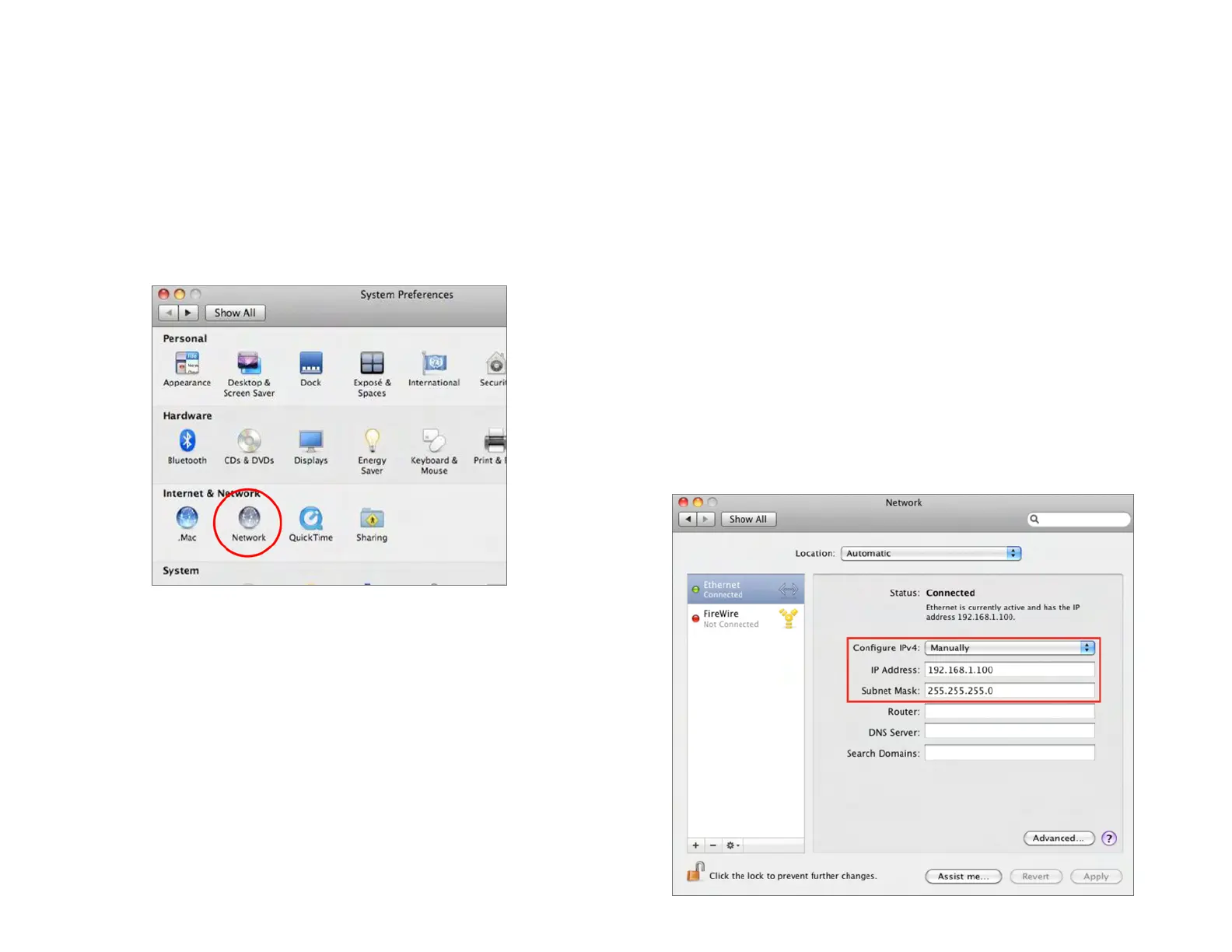
1. Go to System Preferences(Whichcanbeopenedinthe
ApplicationsfolderorselectingitintheAppleMenu).
2. Select Network in the Internet & Network section.
3.
Highlight Ethernet.
4.
In Congure IPv4,selectManually.
5.
Enter an IP address that is different from the Access
Point and Subnet mask then press OK.
Note: Ensure that the IP address and Subnet mask are
on the same subnet as the device.
Forexample:ENH900EXTIPaddress:192.168.1.1
PCIPaddress:192.168.1.2–192.168.1.255
PCSubnetmask:255.255.255.0
6. Click Apply when done.






 To Next Page