39
Save Changes
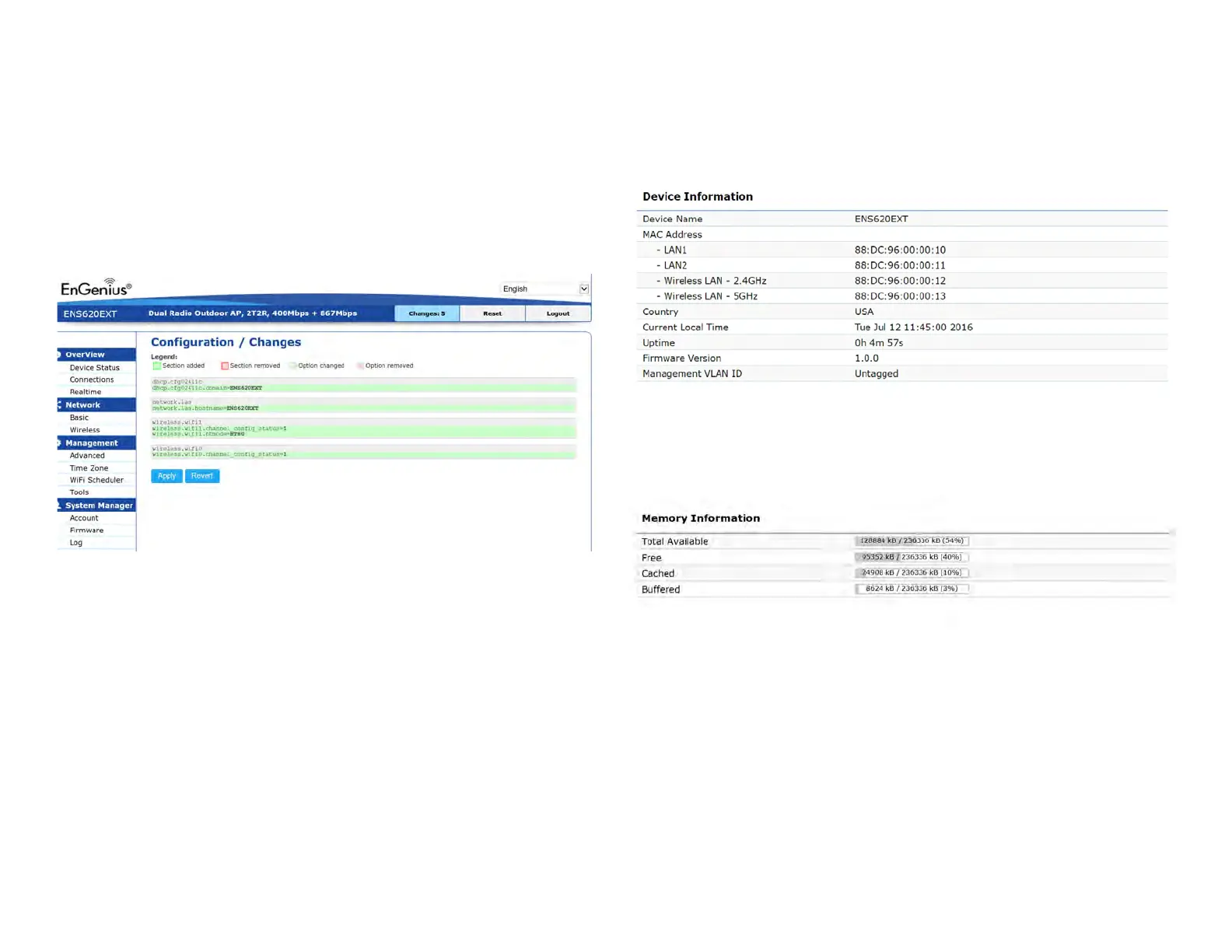
This page lets you save and apply the settings shown under
Unsaved changes list
,orReverttheunsavedchangesand
revert to the previous settings that were in effect.
Device Status
Clicking the Device Status link under the Overview menu
shows the status information about the current operating
mode.
• The Device Information section shows general system
informationsuchasDeviceName,MACAddress,Current
Time,FirmwareVersion,andManagementVLANID
Note: VLANIDisonlyapplicableinAccessPoint,WDS
AP or WDS BR mode.
• The Memory Information section shows usage of
memorysuchasTotalAvailable,Free,Cached,Buffered
Overview













 To Next Page