12
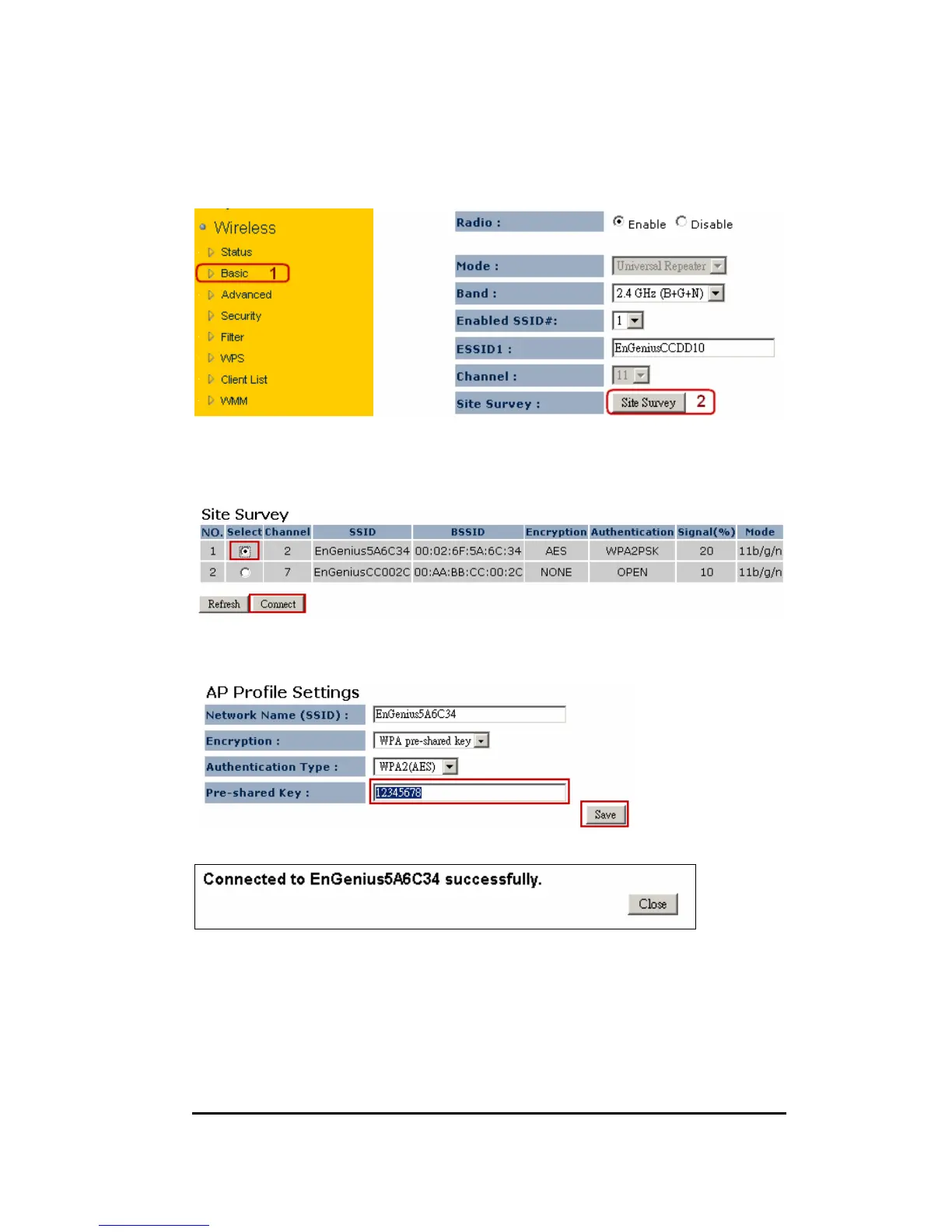
8. Click on [Site Survey] to search the existing AP.
9. Few seconds later, a window will pop up a list of available APs.
10. Select your target AP and click on [Connect].
11. Enter the access key for the target AP and click on [Save].
12. Pop-up box showing the connection established between AP and the extender.
13. On the extender status page, you should see AP security information being
cloned here.


 To Next Page