33
Click [Add] to create new profile.
Click [Edit] to create new profile.
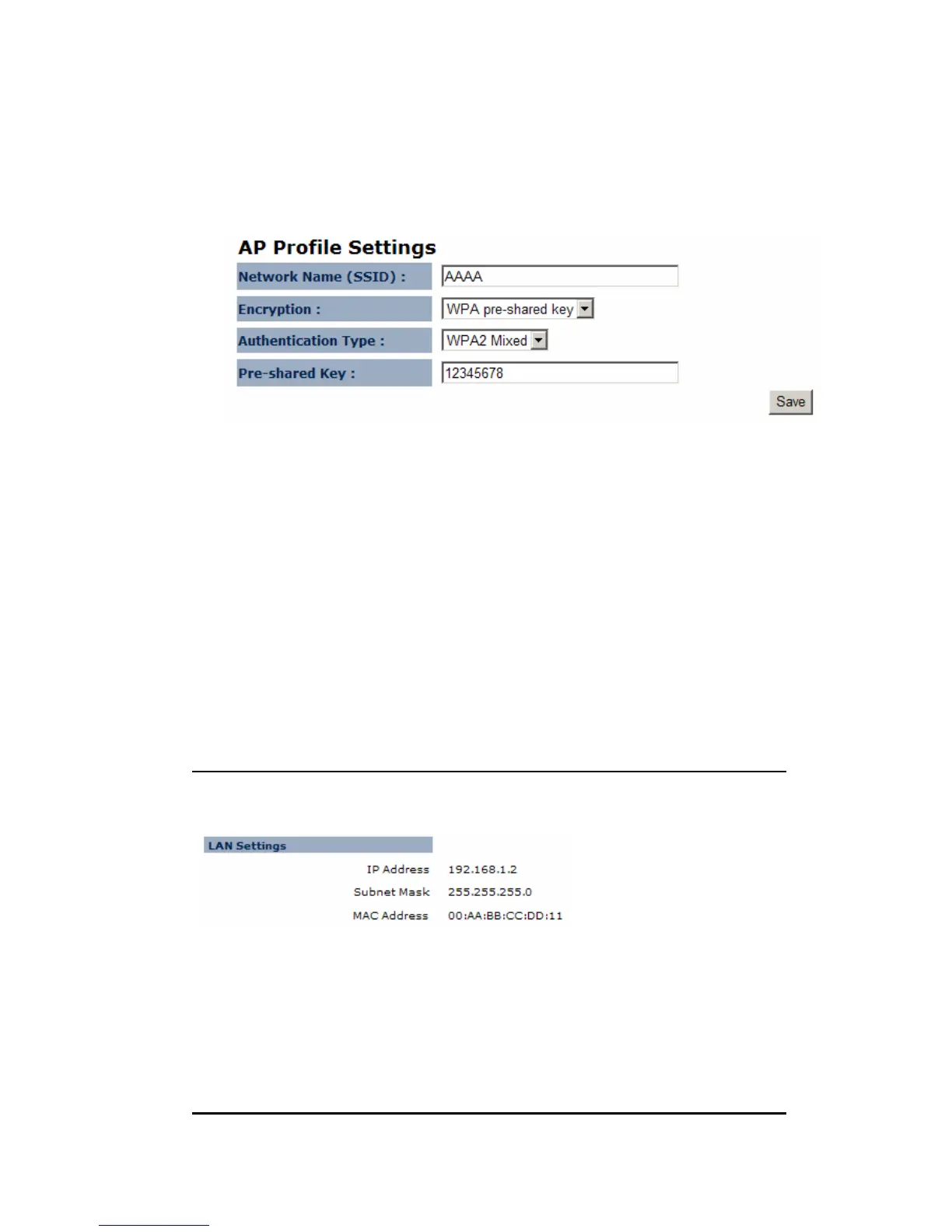
SSID: enter the SSID of the target AP
Encryption: select the Encryption method
Authentication Type: select authentication type
Pre-shared key: enter the key of for security setting.
Click [Move Up] to move the record up
Click [Move Down] to move the record down
Click [Delete Selected] to remove the chosen profile
Click [Delete All] to remove all profiles.
Click [Connect] to activate the chosen AP profile
9. Network
9.1. Status
IP address: current IP address of the device
IP Subnet Mask: 255.255.255.0.
MAC Address: MAC address of the device Ethernet port


 To Next Page