32
8.6. Client List
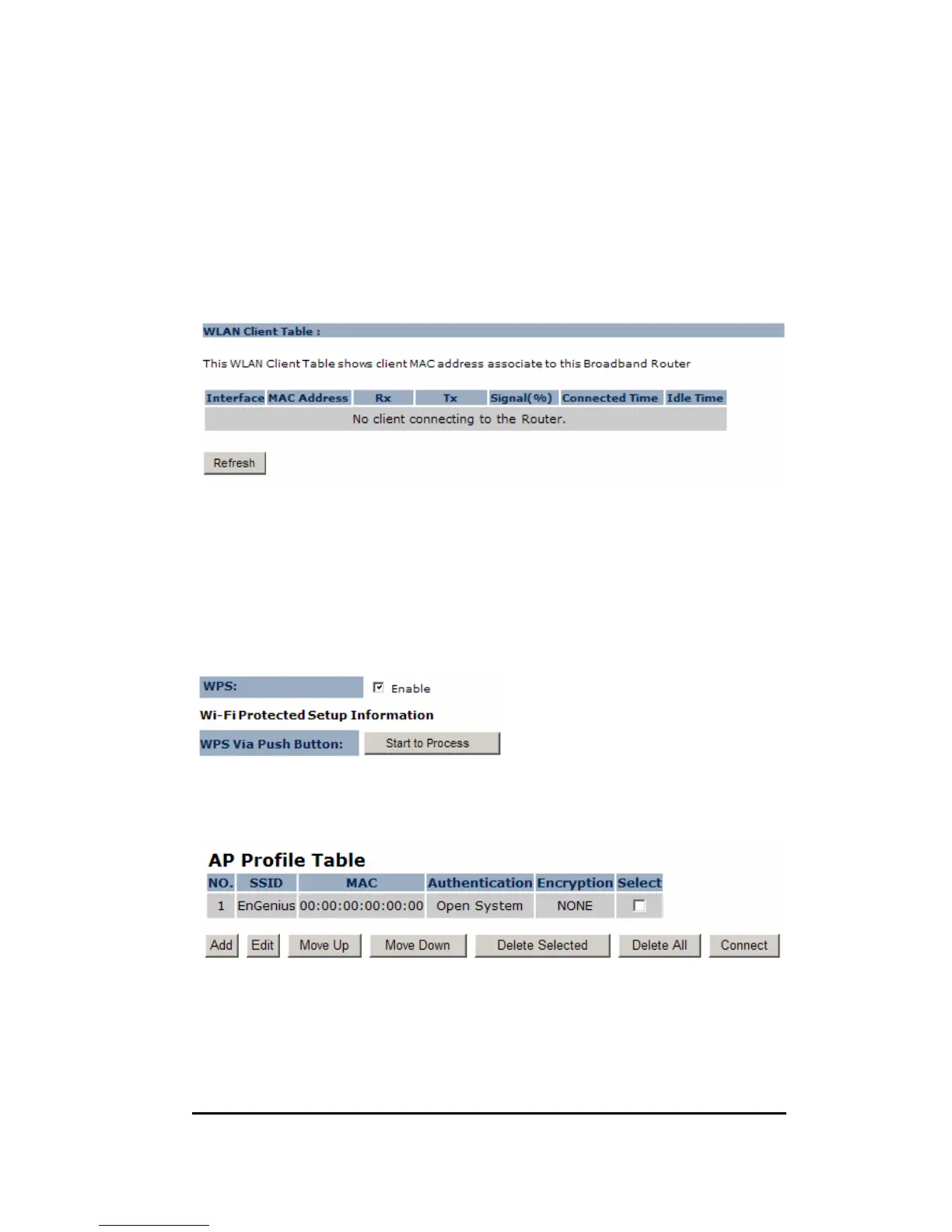
This page shows all the connected current wireless client users.
Click on [Refresh] to get the latest user list and information update.
8.7. WPS
This interface allows you to activate client WPS and synchronize with other AP.
Click [Start to Process] to initiate WPS process. It serves the same purpose as the
WPS button on the device.
8.8. AP Profile (CB/ CR Mode)
This page allows you to edit your AP profiles. ERB9250 allows you to keep
multiple AP candidates. AP on the top of the list has higher precedence than
those on the bottom.


 To Next Page