45
Triggering setting will be added into the "Current Trigger-Port Table" below. If you
happen to make a mistake, just click <Reset> and the fields will be cleared.
Remove Port Triggering
If you want to remove Special Application settings from the "Current Trigger-Port
Table", select the Port Triggering settings you want to remove in the table and then
click <Delete Selected>. If you want remove all Port Triggering settings from the
table, just click the <Delete All> button. Click <Reset> will clear your current
selections.
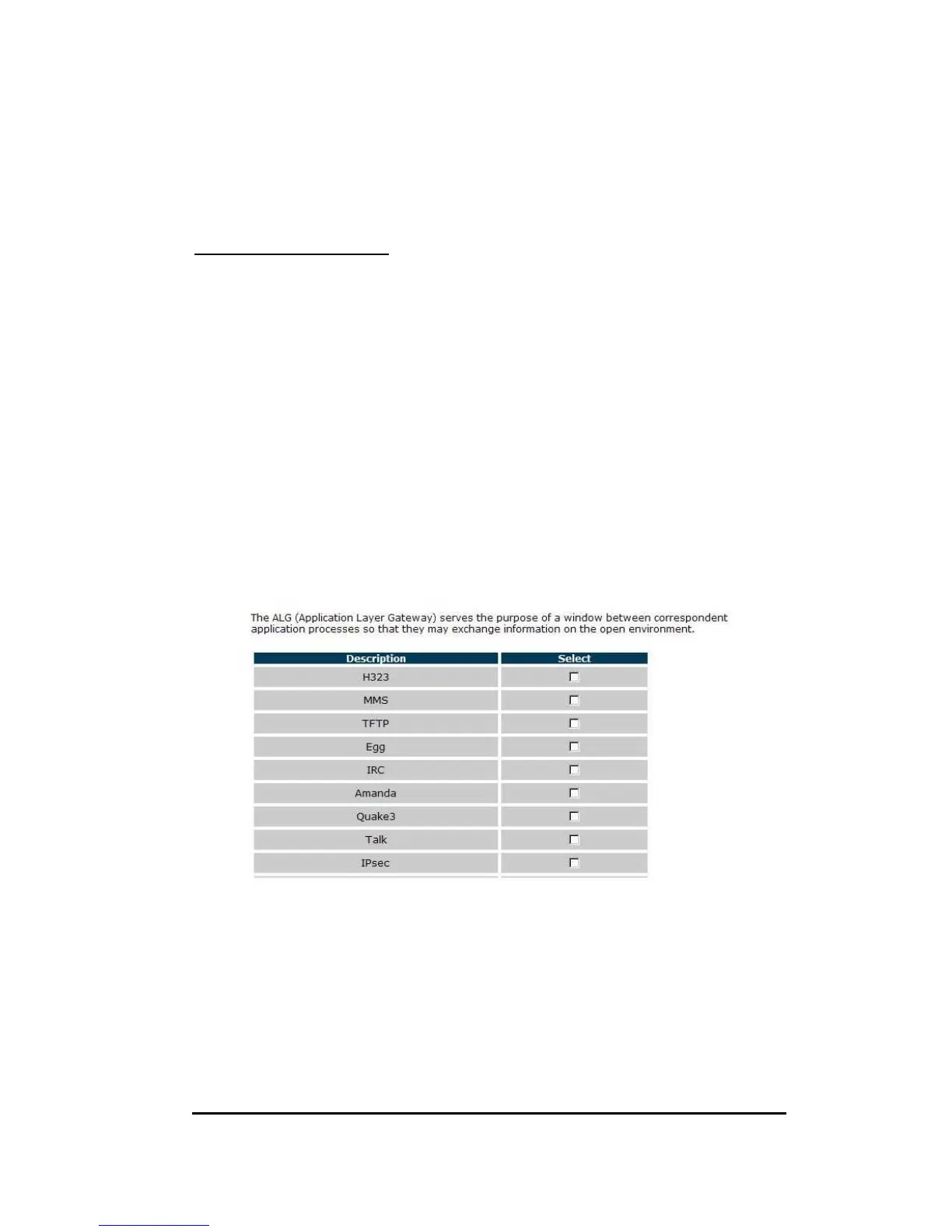
11.5. ALG
Application Layer Gateway (ALG)
You can select applications that need ALG support. The router will let the selected
application to correctly pass through the NAT gateway.
11.6. UPnP
With UPnP, all PCs in you Intranet will discover this router automatically. So, you
don’t have to configure your PC and it can easily access the Internet through this
router.


 To Next Page