25
8. Wireless
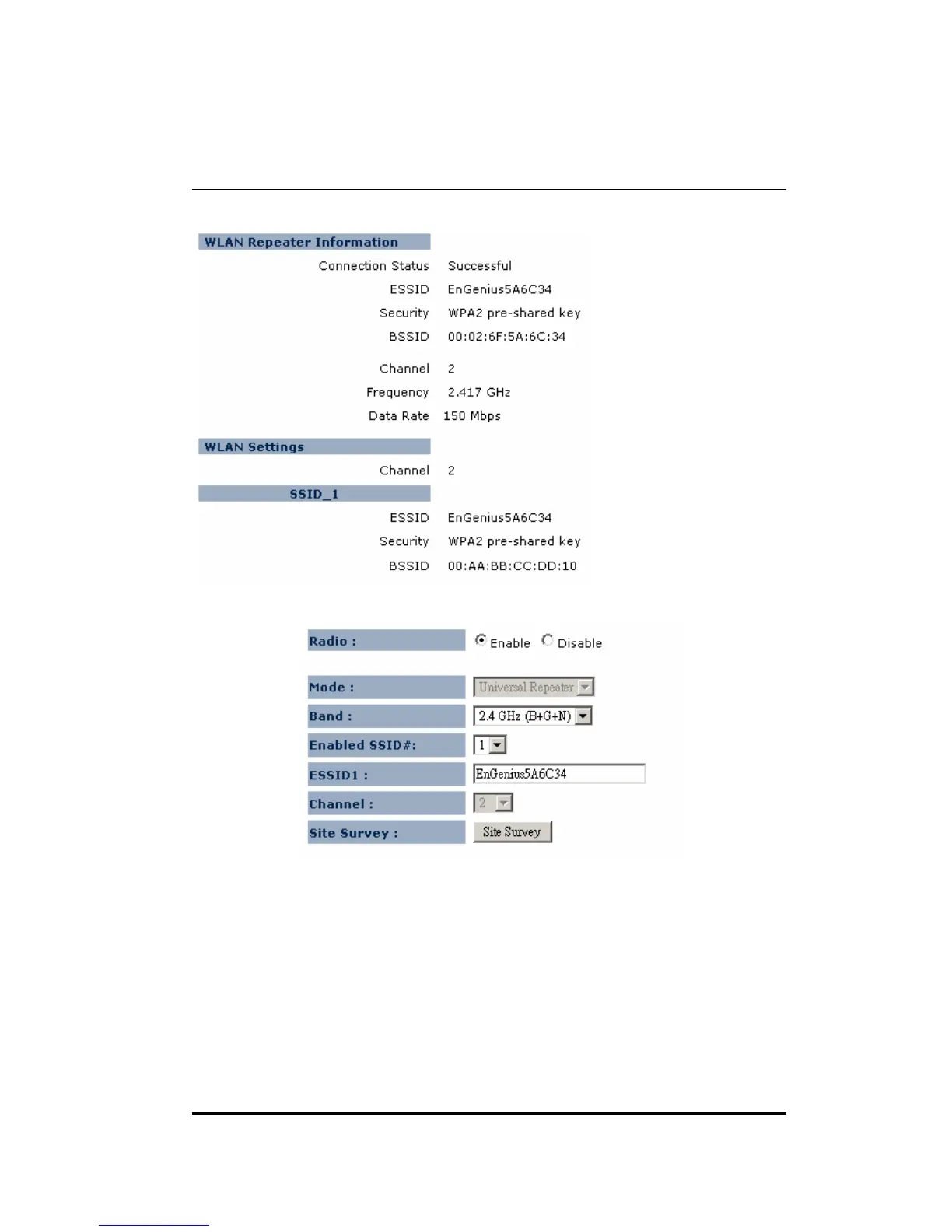
8.1. Status
8.2. Basic
Radio: You can turn on/off wireless radio. If wireless Radio is off, you cannot
associate with AP through wireless.
Mode: In this device, we support three operation modes which are AP router
and AP route with WDS. If you choose AP Router Mode, you can select AP or
WDS function in the drop-down menu.


 To Next Page