26
Band: You can select the wireless standards running on your network
environment.
2.4 GHz(B): If all your clients are 802.11b, select this one.
2.4 GHz(N): If all your clients are 802.11n, select this one.
2.4 GHz(B+G): Either 802.11b or 802.11g wireless devices are in your
environment.
2.4 GHz(G): If all your clients are 802.11g, select this one.
2.4 GHz(B+G+N): Either 802.11b, 802.11g, or 802.11n wireless devices are in
your environment.
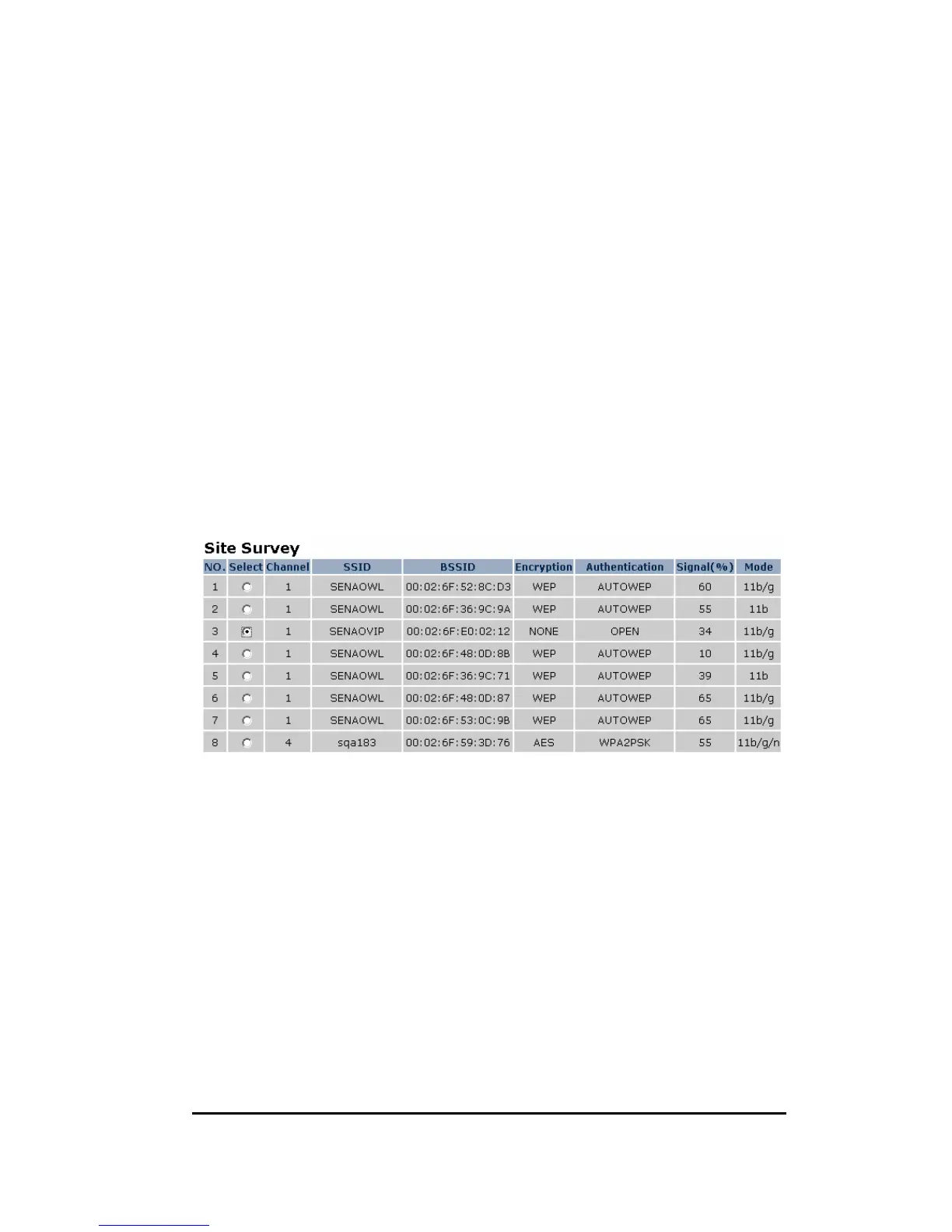
Channel: Shows current target AP wireless channel
Site Survey: scan for current existing APs
To connect to the chosen AP, click on the AP radio button and then click [Connect].
See Chapter 6 or 11.4 for more security detail.


 To Next Page