53
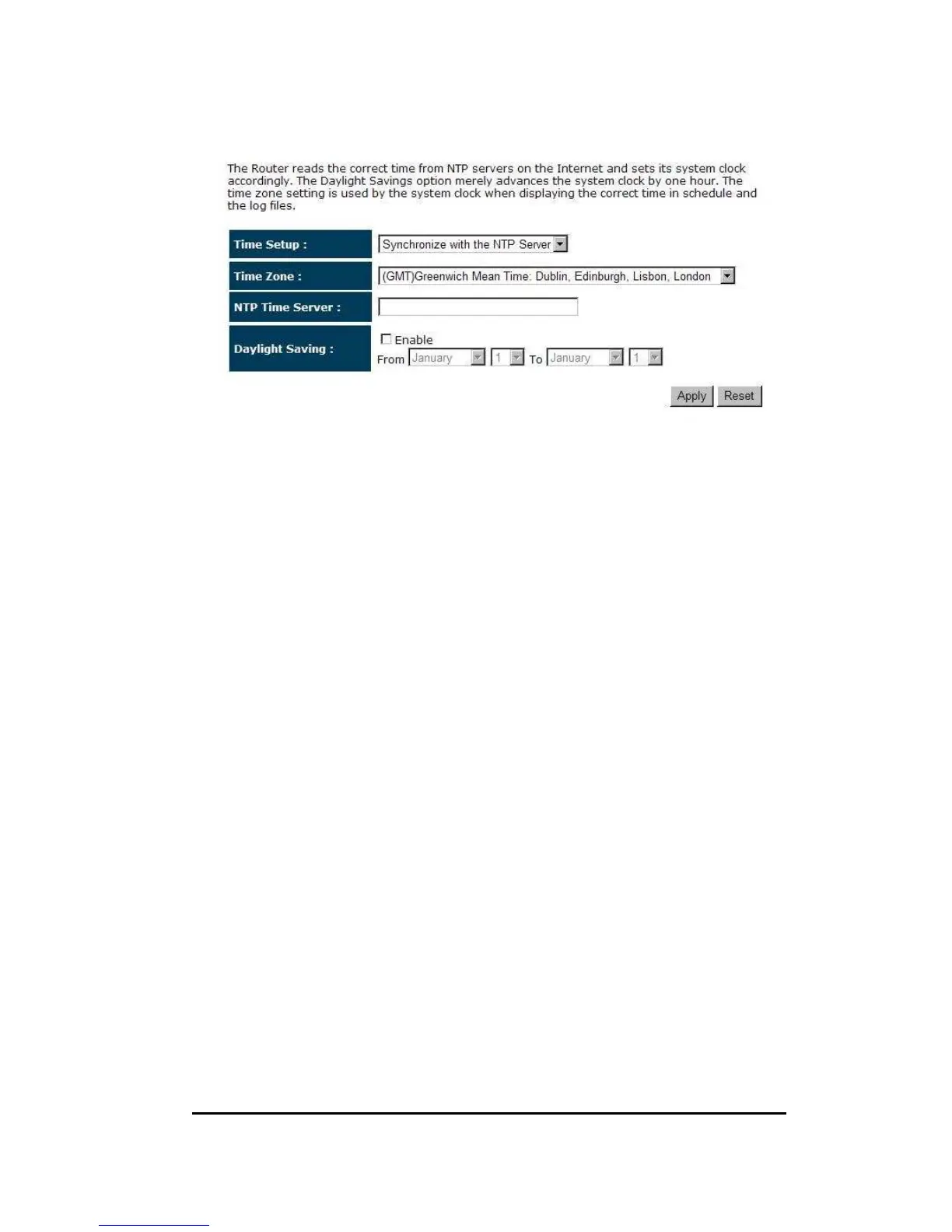
Time Zone: Select the time zone of the country you are currently in. The router
will set its time based on your selection.
NTP Time Server: The router can set up external NTP Time Server.
Daylight Savings: The router can also take Daylight Savings into account. If you
wish to use this function, you must select the Daylight
Savings Time period and check/tick the enable box to enable
your daylight saving configuration.
Click <Apply> at the bottom of the screen to save the above configurations.
Synchronize with PC
You could synchronize timer with your Local PC time.


 To Next Page