39
3)
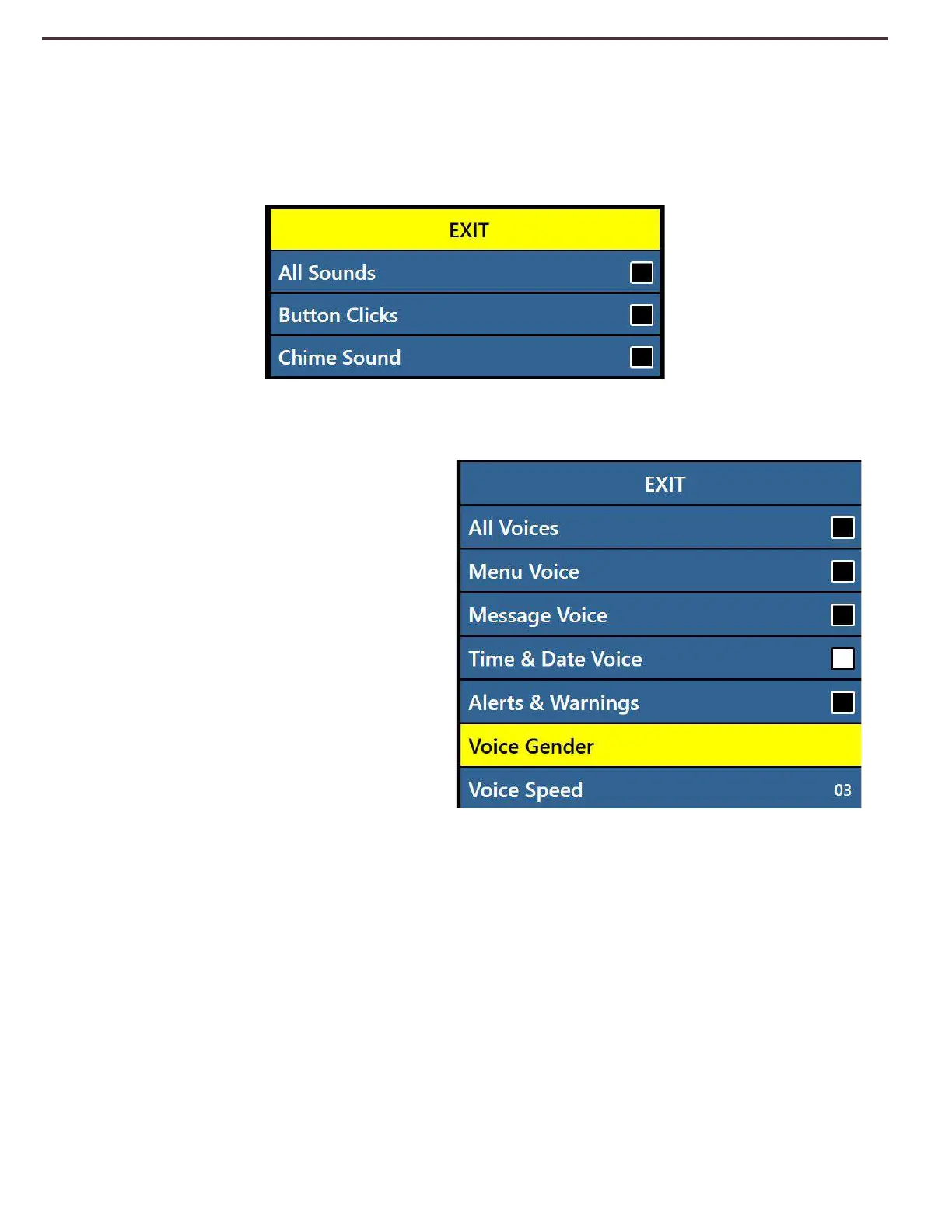
Sounds – This Sub-Menu has 3 items where you can turn on or off the following:
a. All Sounds (ON/OFF) – This Enables or Disables Button Clicks and Chime Sounds.
b. Button Clicks (ON/OFF) – This Enables or Disables the Button Click Sound exclusively.
c. Chime Sounds (ON/OFF) – This Enables or Disables the Chime Sound exclusively.
4)
Voice – user has the option to turn all voice off, speed and other configurable options.
a. All Voices (ON/OFF) – Enables or
disables all of the voice prompts
on the system.
b. Menu Voice (ON/OFF) – Enables
or disables all of the voice
prompts in the system menus.
c. Message Voice (ON/OFF) –
Enables or disables voice
prompts for all of the On-Screen
messages that display.
d. Time & Date Voice (ON/OFF) –
With this option you can opt to
have the system announce the
current date and time when you
enter into the menu.
e. Alerts and Warnings include system TTS messages that warn user of certain system
conditions such as “No files Found” or “Document Saved”. It also includes OCR
messages such as , “Please align your document inside the frame”.
f. Voice Gender (Male/Female) – Allows user to select the gender of the annunciations
voice if it is available in the selected language. If available you can toggle this choice,
otherwise only one selection will be displayed.
g. Voice Speed (1-6) – allows user to select from various voice speeds. Pressing the
center of the Speed wheel will reset to default value during OCR Readback Mode.



 To Next Page