EMW90HDNC1U Air-cooled Chiller
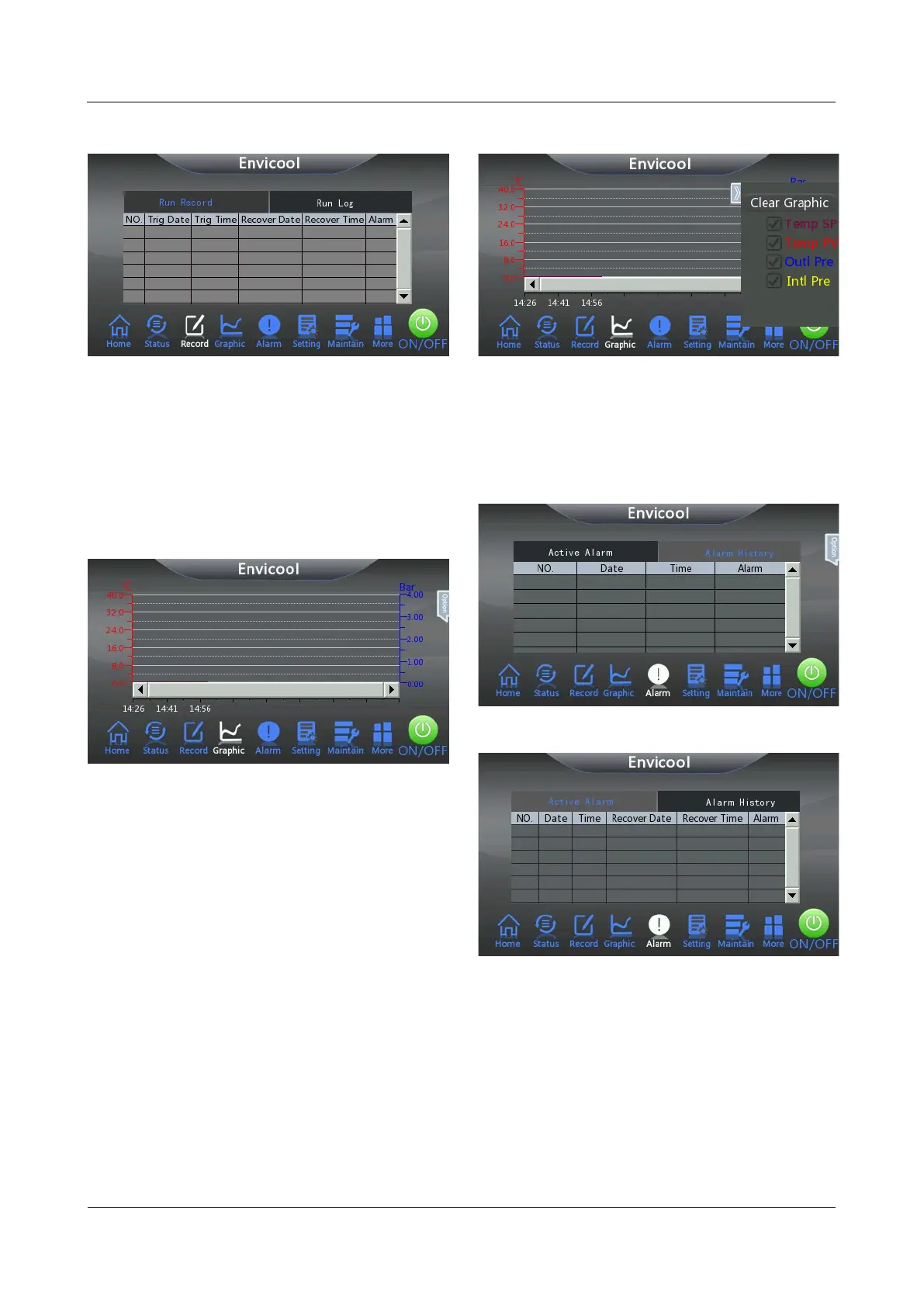
Figure 4-9 Run Log interface
4.7 Graphic
Click Graphic on the homepage interface of the
system to view the operation curve composed of
the cooling setting point temperature curve, outlet
coolant temperature curve, inlet coolant
temperature curve, coolant outlet pressure curve
and the inlet coolant pressure curve.
Figure 4-10 Graphic interface
The system displays the Temp SP (cooling
setting point temperature) curve, Temp PV (outlet
coolant temperature) curve, Outl Pre (outlet
coolant pressure) curve and Intl Pre (inlet coolant
pressure) curve by default. Users can perform the
following operations in the Graphic interface.
Customize the curve to be displayed by
unchecking the check box in front of the curve
type.
Click Options > Clear Graphic to clear the
curve displayed on the current interface.
After the curve is cleared, the control system
automatically regenerates the curve according
to the operating situation of the chiller.
Click the temperature value and pressure value
around the curve display area, you can modify
the temperature value and pressure value
range according to the actual plan.
Figure 4-11 Curve setting interface
4.8 Alarm
Click Alarm on the homepage interface of the
system to view the current active alarm and
historical alarm information of the chiller.
Figure 4-12 Active Alarm interface
Figure 4-13 Alarm History interface



 To Next Page