EMW90HDNC1U Air-cooled Chiller
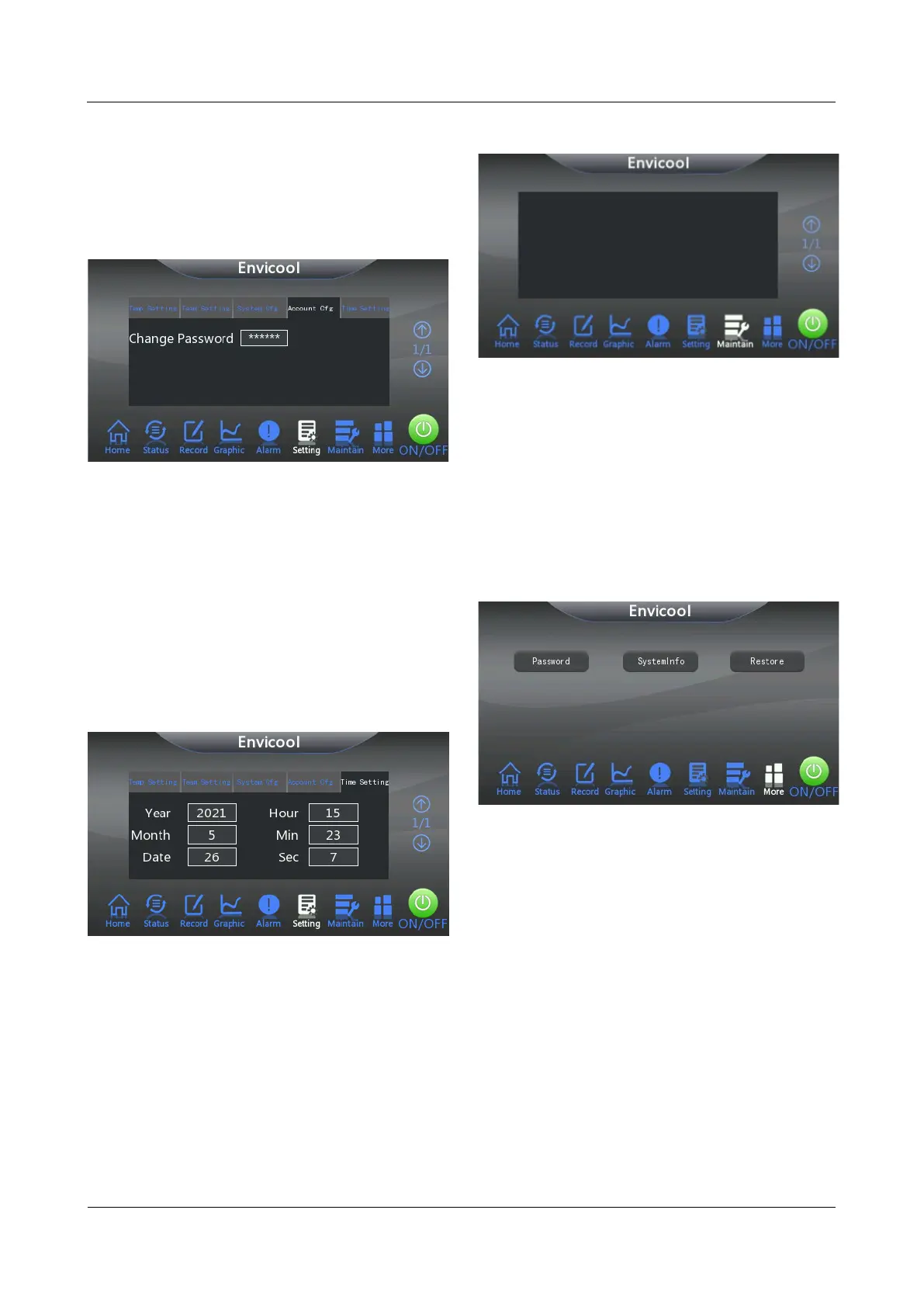
Account Cfg
Click Settings on the homepage interface of the
system and select the Account Cfg tab. The
system displays the interface shown in Figure
4-17.
Figure 4-17 Account Cfg interface
The operator can modify the customer password
through the account setting function. The default
customer password is 0001, it is recommended to
modify it after logging in to the control system for
the first time.
Time Setting
Click Settings on the homepage interface of the
system and select the Time Setting tab. The
system displays the interface shown in Figure
4-18. The current system time of the unit can be
set in this interface.
Figure 4-18 Time Setting interface
The default time of equipment delivery is Beijing
time, so please adjust it according to the actual
situation.
4.10 Maintain
Click Maintain on the homepage interface of the
system, and the system displays the interface
shown in Figure 4-19.
Figure 4-19 Maintenance interface
For advanced maintenance of the chiller, please
contact the product after-sales service for more
information and professional guidance.
4.11 More
Click More on the homepage interface of the
system, and enter the customer password
according to the prompts, you can view the
control system version information and perform
factory reset operations.
Figure 4-20 More settings interface
The default client password is 0001. If the user
has not input the password before modifying the
parameter value on the control system interface,
the system will automatically pop up the
password input box when clicking the input box of
the corresponding parameter. Parameter value
modification is allowed only after the correct
password is entered.



 To Next Page