4.3 Exposing the battery
• Preparing for Operation (See 3.3.4 To prepare the truck for operation ).
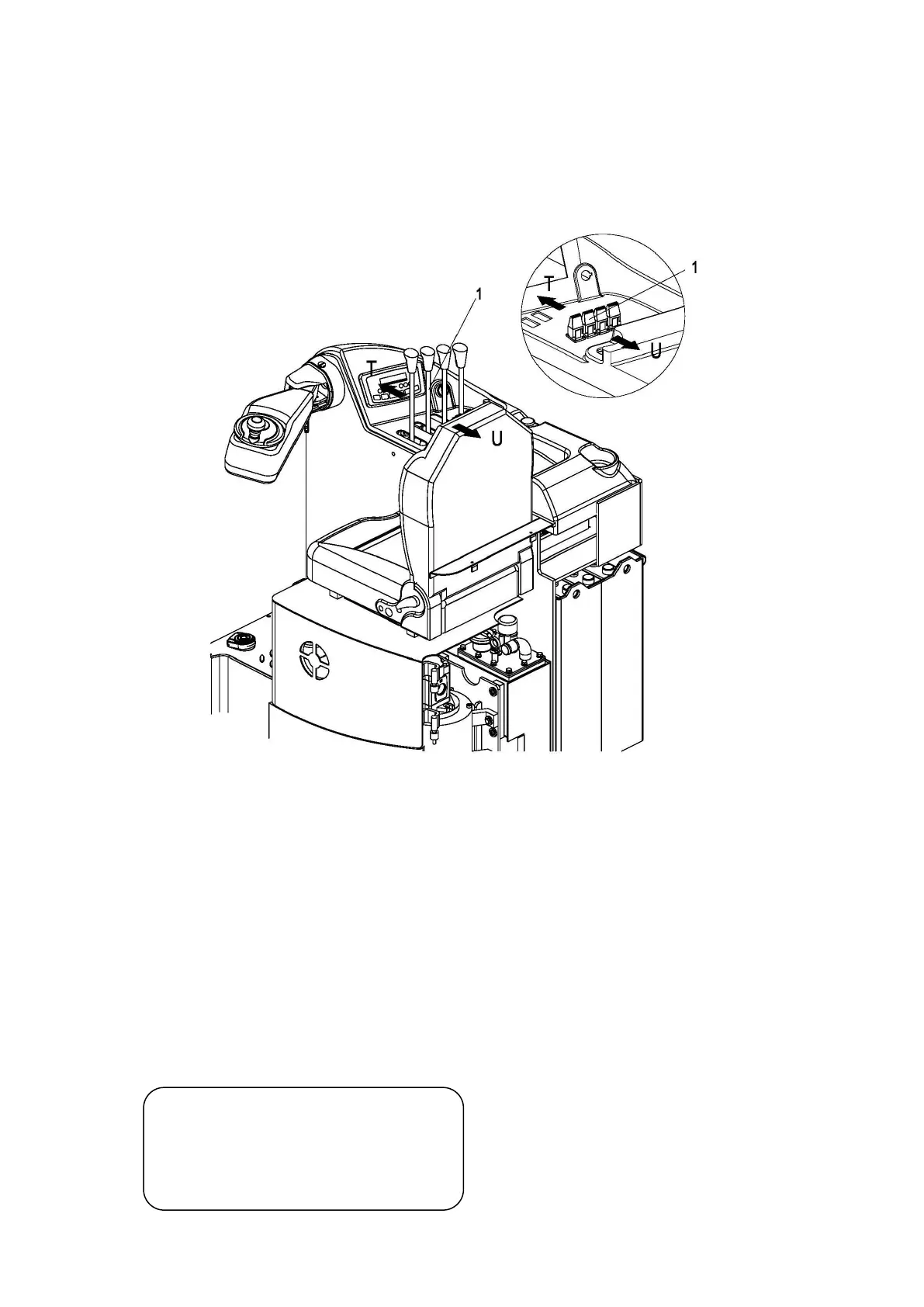
• Move the control switch/lever (2) in the arrow direction (U). Move the mast holder as
far as the stop in the battery direction and release the control switch/lever (2) (the
mast is now in its limit position).
• Insert the battery lock shaft.
• Lift up the battery trolley unlatch rod(1).Move the control switch/lever (2) towards
arrow (T) and extend the mast holder with the coupled battery trolley until the battery
is exposed for maintenance.
• Release the battery lock shaft.
• Turn the emergency brake switch and key switch off.
Warning!
Before starting up the truck again, the
battery trolley must be restored to its
initial position.



 To Next Page