REV. 09/2022
4C
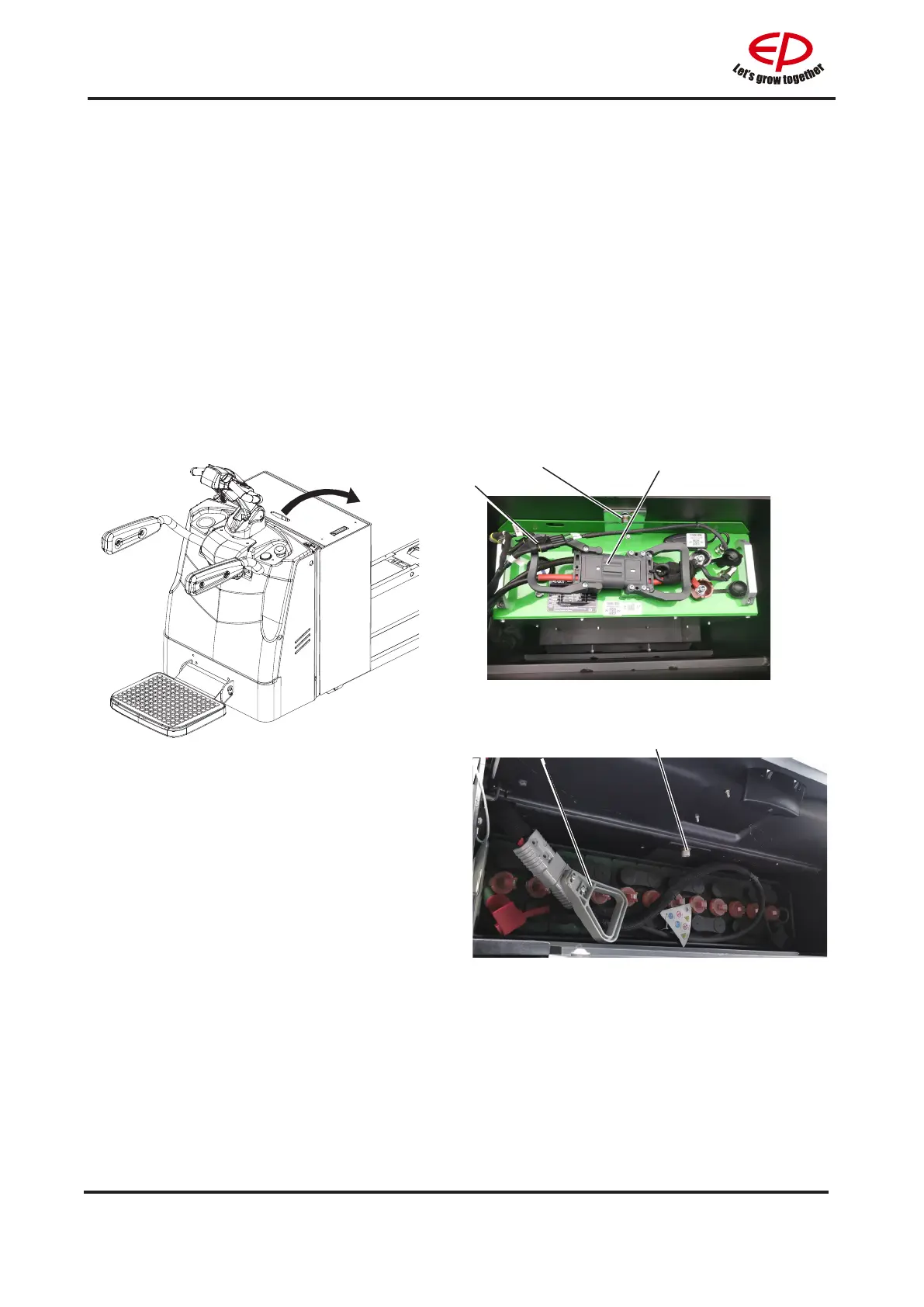
1.2 Battery removal and installation
Park the truck securely see chapter B section 1.3.6 and turn o the power before removal and
installation of the battery.
Battery removal and installation steps:
• Open the battery cover;
• Unscrew the bolts(1);
• Unplug the battery connector(3);
• Pull out the AMP connector(2);
• Attach the hooks to the battery handle or strap;
• Carefully lift the battery out of the truck;
Install the battery in reverse order.
2
31
•Open the battery cover;
•Unscrew the screw(1).
•Disconnect the battery connector(2).
•Sling the battery to a certain height with a
hoist, ensure that the crane is of adequate
capacity.
Installation is in the reverse order of
operations.
For equipped with lithium-ion battery truck
For equipped with lead-acid battery truck
1
2


 To Next Page