EasyManua.ls Logo

Epever XTRA3210N - User Manual

Epever XTRA3210N
60 pages
Print Icon
To Next Page IconTo Next Page
Loading...
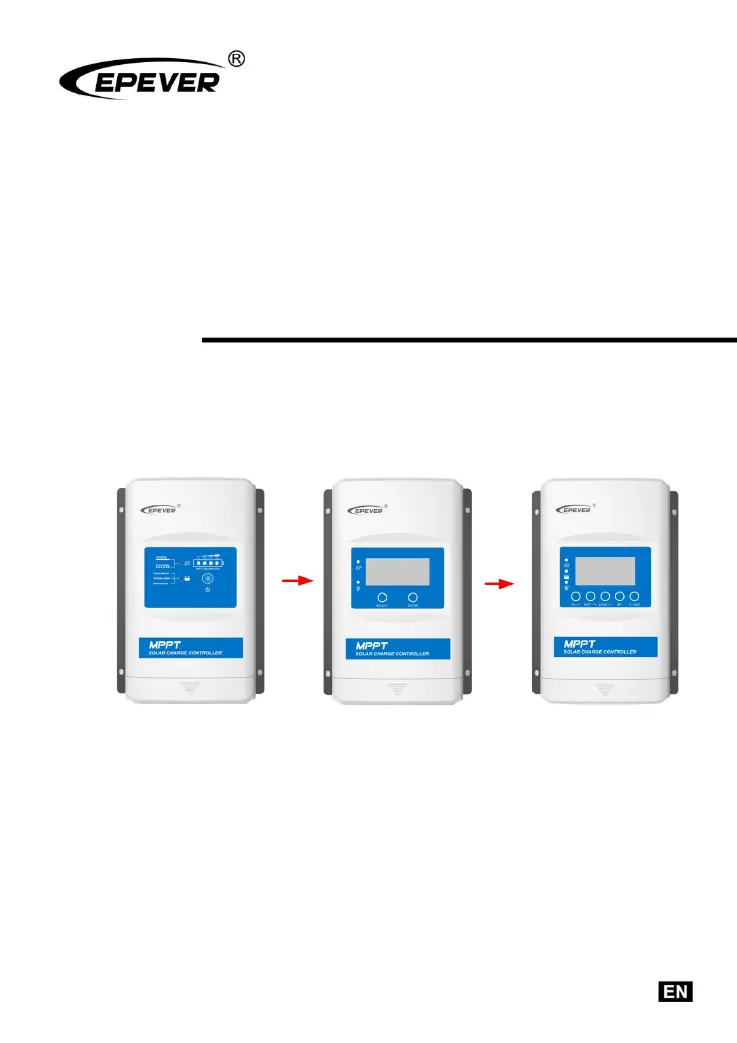
MPPT Solar Charge Controller
User Manual
Models:
XTRA1206N/XTRA2206N
XTRA1210N/XTRA2210N
XTRA3210N/XTRA4210N
XTRA3215N/XTRA4215N
XTRA3415N/XTRA4415N

Questions and Answers

  • C
    Caleb BradleySep 12, 2025
    What happens if I reverse the battery polarity on my Epever Controller?
    • J
      Joel BradfordSep 12, 2025
      The Epever Controller is fully protected against reversed battery polarity. To restore normal operation, switch to the correct polarity.
  • J
    Justin WhiteSep 12, 2025
    What happens if the battery is too low on my Epever Controller?
    • U
      ubrownSep 12, 2025
      When the battery voltage reaches the undervoltage disconnection voltage, the battery discharge is automatically stopped to avoid damage to the battery caused by excessive discharge.
  • P
    Pamela OneillSep 10, 2025
    What happens if my Epever XTRA3210N's lithium battery gets too cold?
    • R
      Rhonda CurtisSep 10, 2025
      If the temperature detected by the optional temperature sensor is below the low temperature threshold (LTPT) on your Epever Controller, the controller will automatically stop charging and discharging.
  • M
    Melissa SandersSep 9, 2025
    What happens if my Epever XTRA3210N experiences battery overvoltage?
    • K
      Kyle PerezSep 9, 2025
      When the battery voltage reaches the over-voltage disconnect voltage on the Epever Controller, the battery charging will automatically stop. This prevents damage to the battery that could be caused by over-charging.
  • S
    Steven DuncanSep 8, 2025
    How to fix the charging LED indicator if it's off during the daytime on my Epever XTRA3210N Controller?
    • A
      amymossSep 8, 2025
      If the charging LED indicator is off during the daytime when sunshine falls on PV modules properly, confirm that PV wire connections are correct and tight.
  • M
    Megan TerryAug 23, 2025
    What to do if the battery voltage is lower than 8V on my Epever XTRA3210N?
    • W
      Wesley HuntAug 23, 2025
      If your Epever Controller isn't working and the battery voltage is lower than 8V, even with correct wiring, ensure that the battery has at least 8V to activate the controller.
  • M
    Melissa GarciaSep 6, 2025
    What does it mean when the battery indicator is red slow flashing on my Epever XTRA3210N?
    • I
      ihallSep 6, 2025
      If the battery indicator on your Epever Controller is flashing red slowly, it indicates the battery is overheating. The controller will automatically turn the system off. When the temperature declines to be below 55 degrees Celsius, the controller will resume.
  • A
    Ashley GravesSep 5, 2025
    What does it mean when the battery indicator is red on solid on my Epever XTRA3210N?
    • B
      Beth CisnerosSep 5, 2025
      If the battery indicator on your Epever Controller is solid red, it means the battery is over-discharged. When the battery voltage is restored to or above LVR (low voltage reconnect voltage), the load will recover.
  • J
    Joseph GreenSep 4, 2025
    Why is the PV/BATT(orange)/Battery capacity lever(four) indicator fast flashing on my Epever XTRA3210N Controller?
    • C
      Corey MooreSep 4, 2025
      If the PV/BATT(orange)/Battery capacity lever(four) indicator is fast flashing on your Epever Controller, it indicates the controller is overheating. The controller will automatically cut off the input and output circuit when the heat sink exceeds 85 degrees Celsius. It will resume work when the temperature drops below 75 degrees Celsius.
  • H
    Harry HillSep 3, 2025
    What does it mean when the charging indicator is green fast flashing on my Epever XTRA3210N Controller?
    • S
      Sierra HooperSep 3, 2025
      If the charging indicator on your Epever Controller is flashing green rapidly, it signifies a battery over voltage. Check if the battery voltage is higher than OVD (over voltage disconnect voltage), and disconnect the PV.

Summary

Important Safety Instructions

General Safety Information

Provides general safety guidelines before installation and operation of the controller.

Installation

Installation Attentions

Highlights crucial precautions and warnings before proceeding with installation.

PV Array Requirements

Specifies requirements and considerations for connecting the PV array to the controller.

Wire Sizing and Selection

Provides guidelines for selecting appropriate PV and battery/load wire sizes.

System Wiring and Grounding

Details system wiring, schematic diagrams, and grounding requirements.

Parameters Setting

Battery Parameters

Covers supported battery types, local, and remote setting options.

Load Working Modes

Explains different load working modes and their LCD settings.

Others

Protection Mechanisms

Details various protection mechanisms of the controller against electrical faults.

Troubleshooting Guide

Provides a guide to diagnose and resolve common issues with the controller.

Technical Specifications

Epever XTRA3210N Specifications

General IconGeneral
ModelXTRA3210N
Rated Voltage12V/24V Auto
Rated Charge Current30A
Rated Load Current20A
Max PV Input Voltage100V
Max PV Input Power (12V)390W
Max PV Input Power (24V)780W
Efficiency≤98%
Self-consumption≤ 10mA
Charge Circuit Voltage Drop≤0.26V
Discharge Circuit Voltage Drop≤0.15V
Altitude≤ 2000m
CoolingNatural Cooling
Weight1.2kg
TypeSolar Charge Controller
Temperature Compensation-3mV/°C/2V (Default)
CommunicationRS485
Battery typeSealed, Gel, Flooded, Lithium
GroundingNegative
ProtectionOverload, Short Circuit, Reverse Polarity

Related product manuals