Experiment with the dierent dithering patterns to determine which eect is most pleasing. It is not
mandatory that you use the clipart modes with only clipart images or photograph modes with all
photographs. Many users prefer one of the photograph modes for many clipart images, and one of the
clipart modes for photographs. The choice is entirely up to you and will take some experimentation.
Red Dot Pointer
The Red Dot Pointer is a visible laser beam that runs in the same line as the invisible CO2 laser beam. It is
useful for showing the location of the laser head when using Jog or Focus mode.
Emergency Stop Button
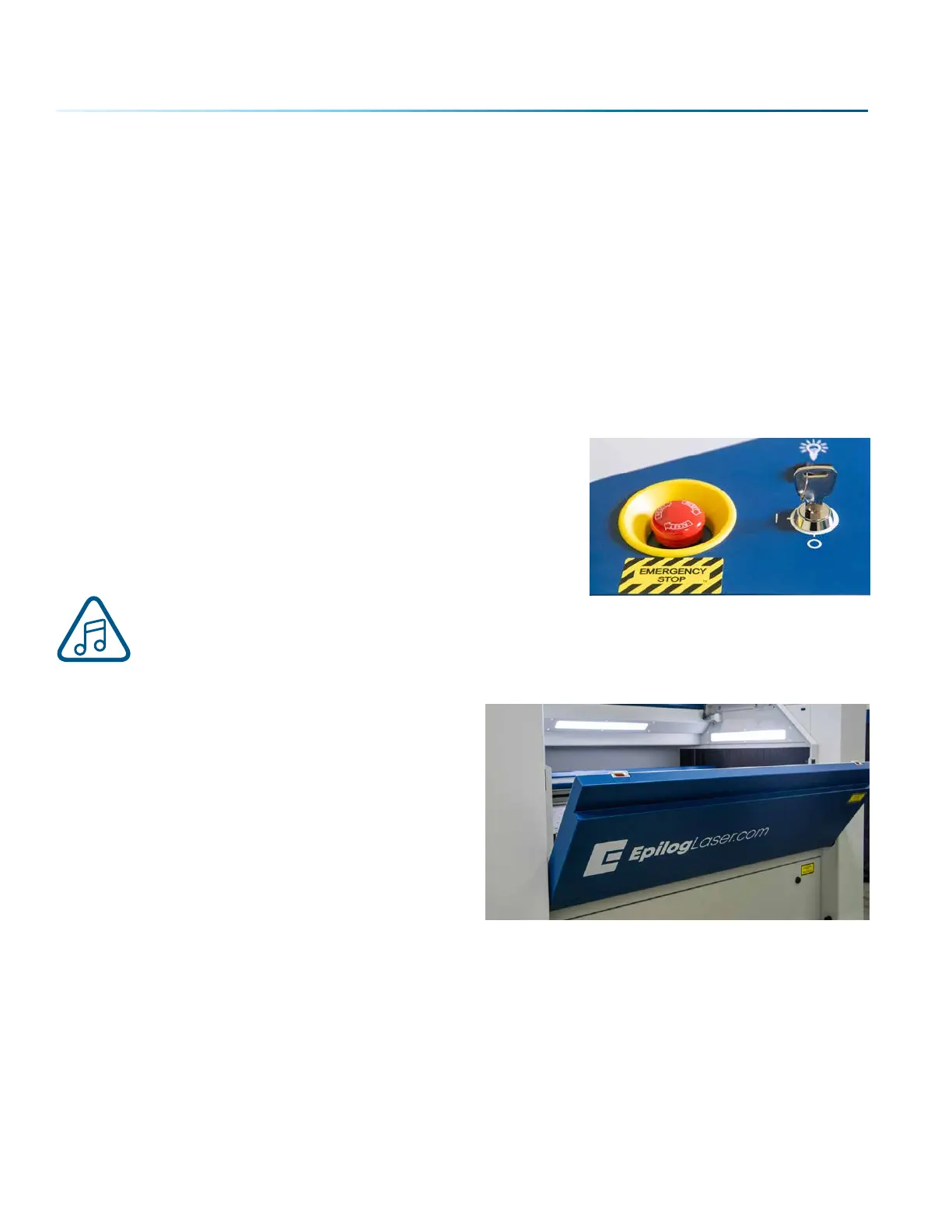
On the top of the laser you will see a large, red Emergency Stop
Button. If there is an emergency, such as a fire, immediately press
the Emergency Stop Button. The laser carriage will immediately
stop and the system will shut down.
To reset the system, you must turn o the system using the Key
Switch, then twist the Emergency Stop Button clockwise to release
the system, then turn on the laser.
If your laser ever stops running and you can’t turn it on, check to see if the Emergency Stop
Button has been pressed by accident.
Front Access Door
The Front Access Door will open up to 180 degrees,
and is usually used for easy loading and unloading of
palletized materials. The door is interlocked and the
laser will not fire if the door is open.
- 114 -
SECTION 8: SYSTEM FEATURES



 To Next Page
 Loading...






