Windows 8/10: Ethernet Installation
Set Up TCP/IP Address in the Computer
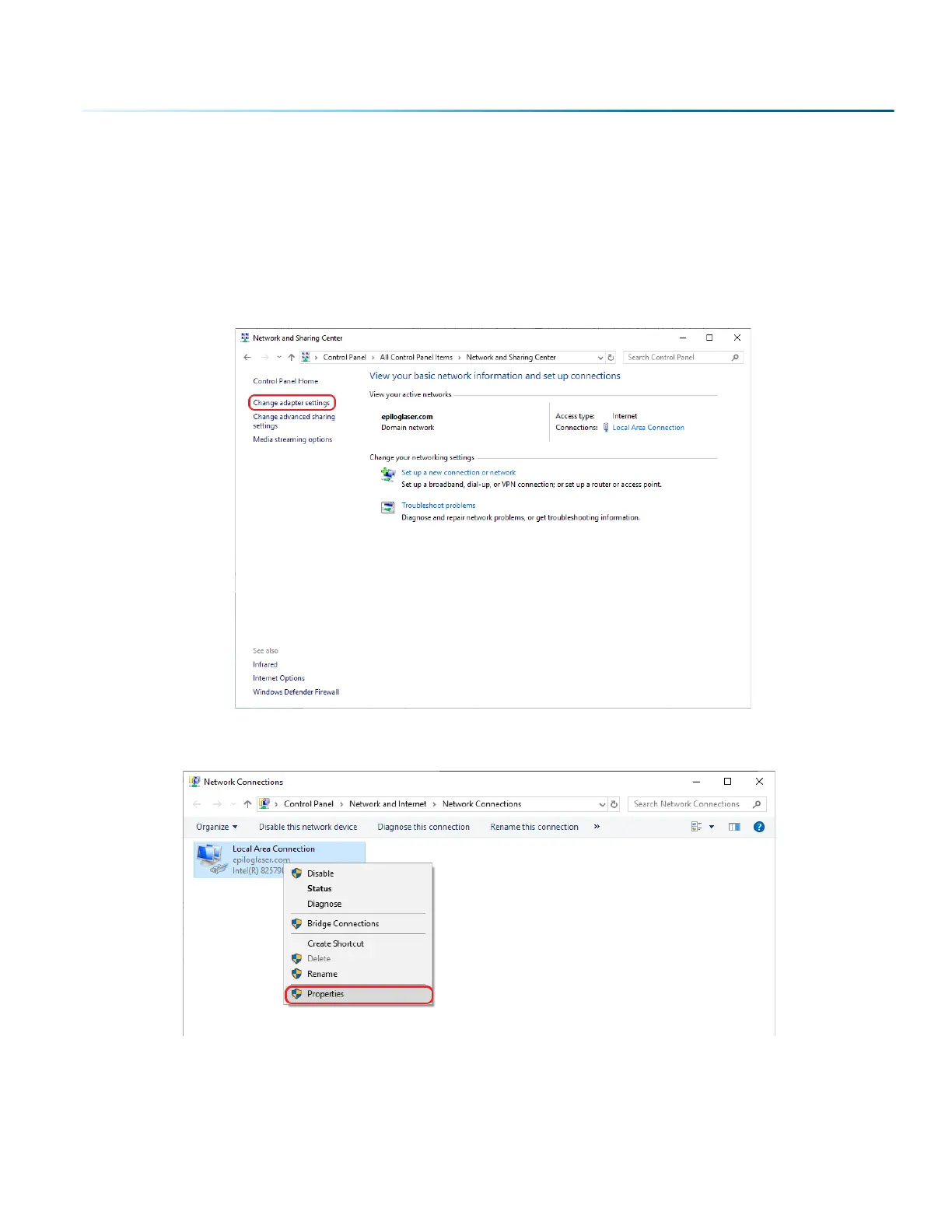
Go to your Network and Sharing Center in your computer’s Control Panel.
1. Click Change Adapter Settings.
2. Right click Local Area Connection, then click Properties.
- 31 -
SECTION 3: SOFTWARE INSTALLATION



 To Next Page
 Loading...






