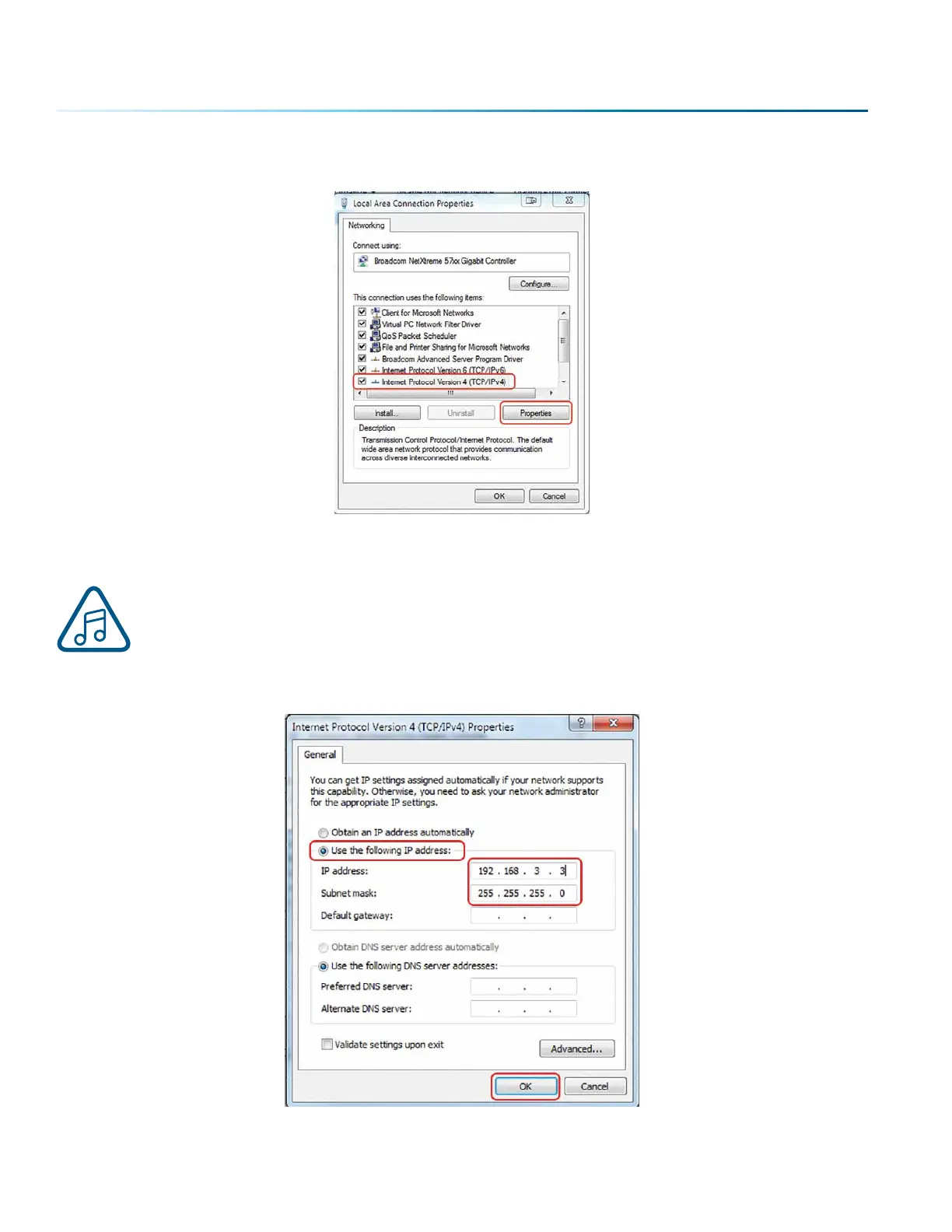
3. Select Internet Protocol Version 4 (TCP/IP). Make sure you do not select Version 6. Then click
Properties.
4. Select Use the following IP Address. Type in the following IP Address: 192.168.3.3.
This number is not an error; the last digit of the IP address in this window must be dierent
than the IP address you set in the laser.
5. Type in a Subnet Mask of 255.255.255.0, then click OK.
- 32 -
SECTION 3: SOFTWARE INSTALLATION



 To Next Page
 Loading...






