Operation
Centrifuge 5430/5430 R
English (EN)
42
5.8 User instructions on rotors
5.8.1 Rotor F-35-6-30: rotor removal tool
5.8.1.1 Inserting the rotor
Prerequisites
The rotor nut is loose.
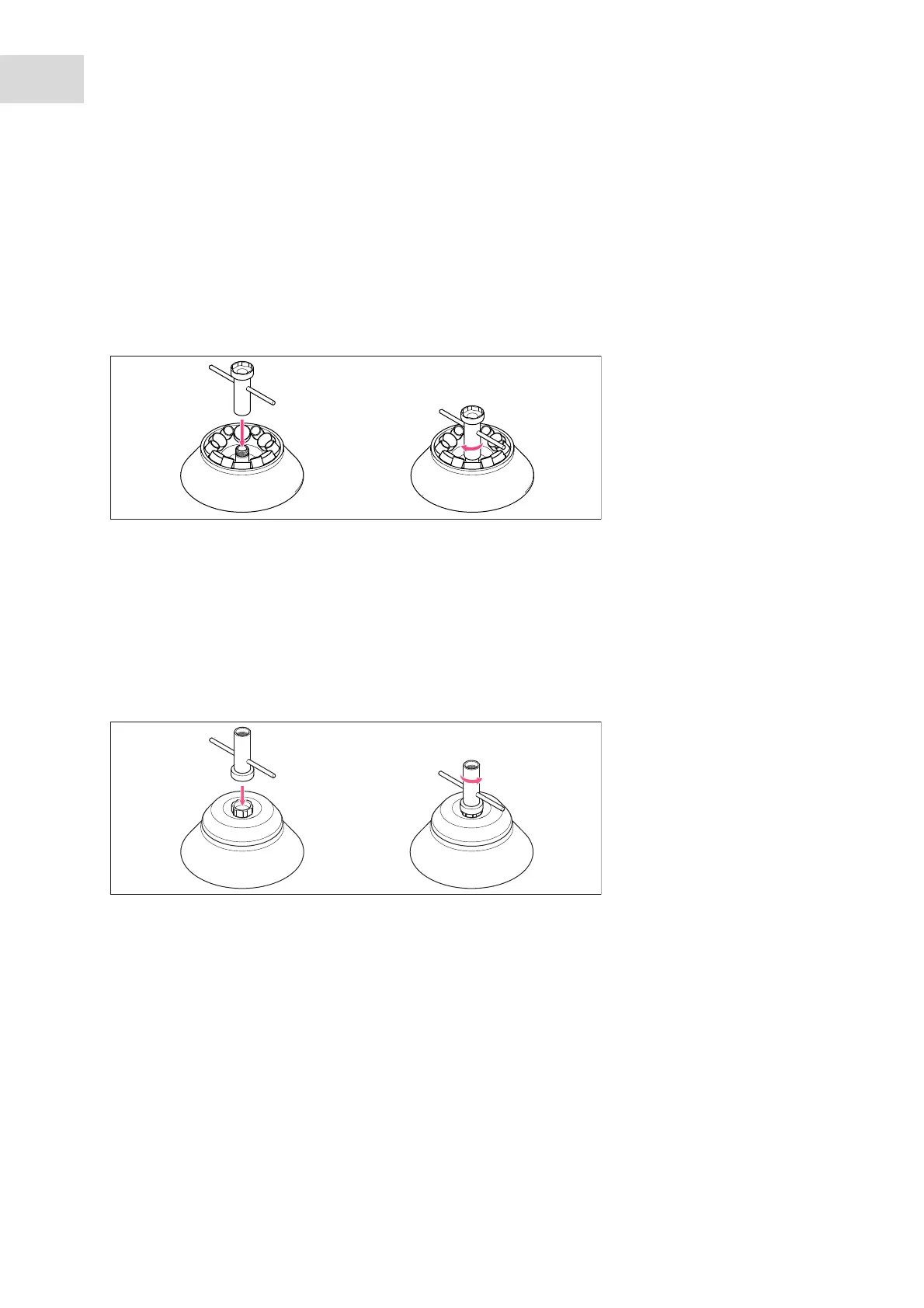
Use the rotor removal tool to insert the rotor in the centrifuge and remove it again.
1. Position the rotor removal tool with the narrow side on the rotor thread.
2. Tighten the rotor removal tool clockwise with approx. 3 revolutions.
3. Grip the rotor removal tool and insert the rotor.
4. Loosen and remove the rotor removal tool by turning it counterclockwise.
5. Inserting the rotor: Tighten the rotor using the enclosed rotor key (see Inserting the rotor on p. 32).
5.8.1.2 Loosening the rotor lid
Use the rotor removal tool to loosen a firmly tightened rotor lid screw.
1. Position the rotor removal tool with the wide side on the rotor lid screw.
2. Loosen the rotor lid screw by turning the rotor removal tool counterclockwise.



 To Next Page