14
Aspirating and dispensing speeds
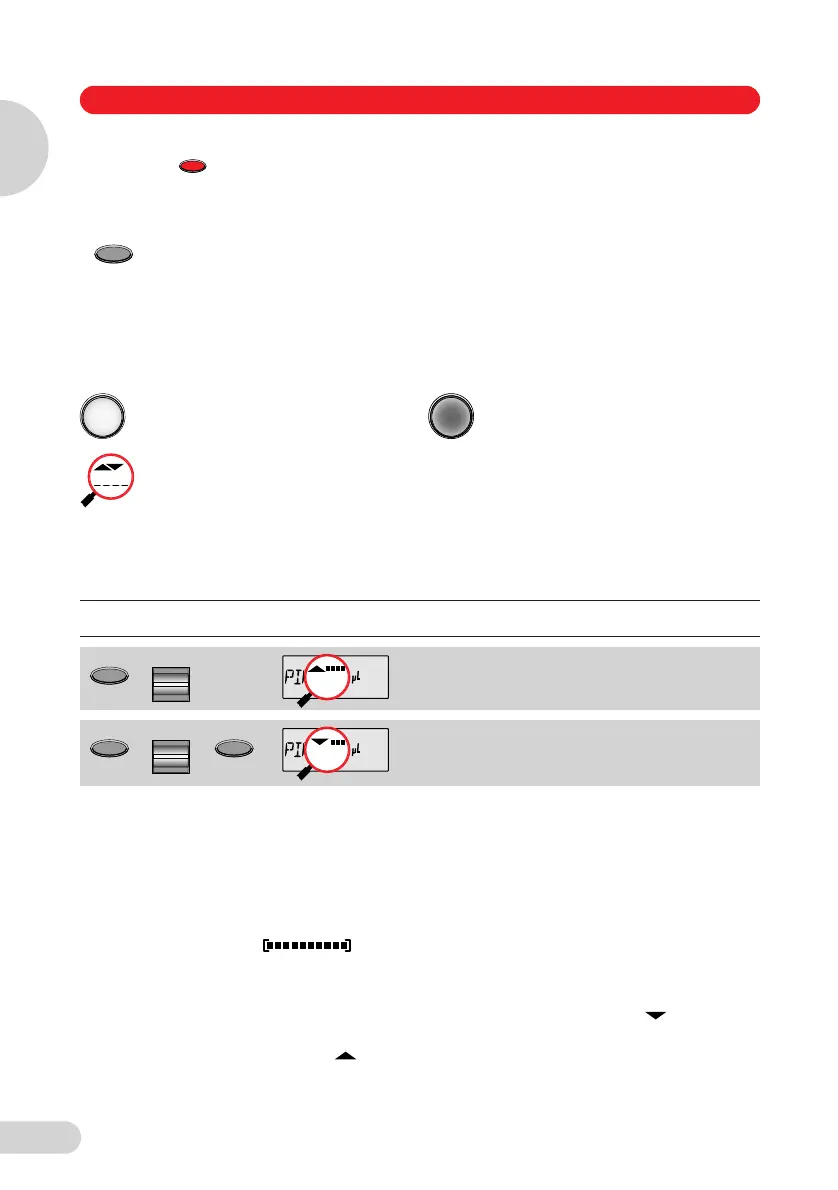
The selected speed can be viewed by pressing the Speed key several times. The speed is
changed as follows:
* This procedure does not necessarily have to be completed using the Speed key. Any key –
with the exception of Reset – may be used. If a key other than the Speed key is used to
complete the procedure, the function of this key is also executed at the same time.
The direction of the arrow for speed flashes in this input field.
The speed can be altered before every dispensing or aspiration.
Different speeds can already be stored for the three basic modes (PIP, DIS, FIX).
Important! High speeds have a much lower current consumption than low
speeds.
Loading gels
With the 10 µl and 100 µl Research pro, the lowest speeds for liquid dispensing are ideal for
loading gels. To enable users to work rapidly and with a low electricity consumption, the highest
possible speed for liquid aspirating should be used. Depending on the task at hand, gels
can be loaded in the Standard mode (Sec. 5.3) or by using the BLO (Sec. 5.4) or MAN (Sec. 5.7)
options. Using the BLO option makes it possible to discharge the blowout outside of the gel
pouch, thus preventing turbulence in the gel pouch.
Motor-
reset
If is held down until a piston movement begins, a motor reset is effected.
This reset routine lasts roughly 10 seconds.
The accuracy of the piston movement is ascertained with the motor reset.
The Research pro has two operating levels. The basic modes for pipetting (PIP and
FIX) and dispensing (DIS) are accessed in the first level by pressing the Select
rocker. PROG appears in the display by double-clicking the "Program" key. You are
now in the second level (program level). Using the Select rocker, select from the
programs (Sec. 5.10). This level can be quit by pressing the "Program" key briefly
once. PROG disappears from the display.
Please note the following descriptions of the symbols used in the program sequence:
An Actuate key which has
been pressed briefly is light.
An Actuate key which has been
held down is dark.
If the piston movements appear in the display without any volumes, this indicates a
process which is not connected to liquid aspiration or dispensing.
Sequence
for pressing keys
Magnifying glass indicates
important display information
Comment
Display and selection of
aspirating speed.
Display and selection of
dispensing speed.
R
Select
Select
Speed
*
5 Operation
Operation
5
1_E05_1 Bedienung A5 Seite 14 Donnerstag, 9. Oktober 2008 7:13 19



 To Next Page