174
In this case, the reagent – or diluent – first and then the sample are aspirated into a pipette tip.
Both liquids are initially separated by an air bubble. In the case of larger sample volumes, the air
bubble can dissolve following aspiration. A pipetting option can be used for dispensing both
liquids.
Hier werden Reagenz – oder Diluent – und anschließend Probe in eine Pipettenspitze aufge-
nommen. Die beiden Flüssigkeiten sind anfänglich durch eine Luftblase getrennt. Bei größerem
Probevolumina kann sich die Luftblase am Ende der Aufnahme auflösen. Bei der Abgabe der
beiden Flüssigkeiten kann eine Pipettieroption benutzt werden.
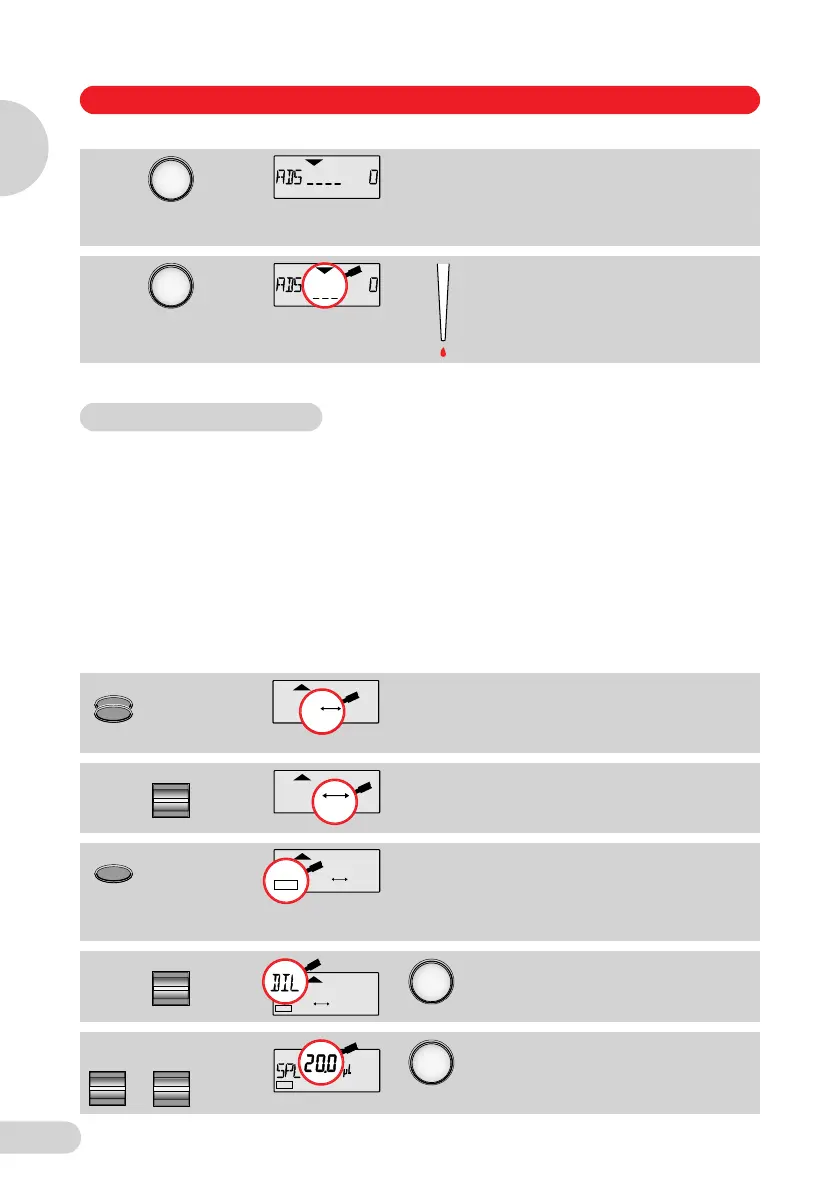
Programming / Programmierung
Blank step with special
acoustic signal.
Leerschritt mit spezieller
akustischer Rückmeldung.
Blow-out is discarded.
Verwerfen des Überhubs.
Double-click:
PROG
in the display.
Doppelklick:
PROG
im Display.
Select the memory slot.
Speicherplatz wählen.
Hold down
the key until
EDIT
appears.
Taste
lang
drücken, bis
EDIT
erscheint.
Select
DIL
.
DIL
wählen.
Sample volume: see table.
Probevolumen: siehe Tabelle.
VI. DIL = Diluting / Diluieren
12345
PROG
12345
PROG
Select
PROG
12345
EDIT
1PROG 2345
EDIT
Select
EDIT
1PROG 2345
ENTER
Select
or
/
oder
Volume
EDIT
1PROG 2345
ENTER
Part B Programs / Teil B Programme
Programs / Programme
B
Teil 2 Programme D+E Seite 174 Mittwoch, 8. Oktober 2008 4:04 16



 To Next Page