22
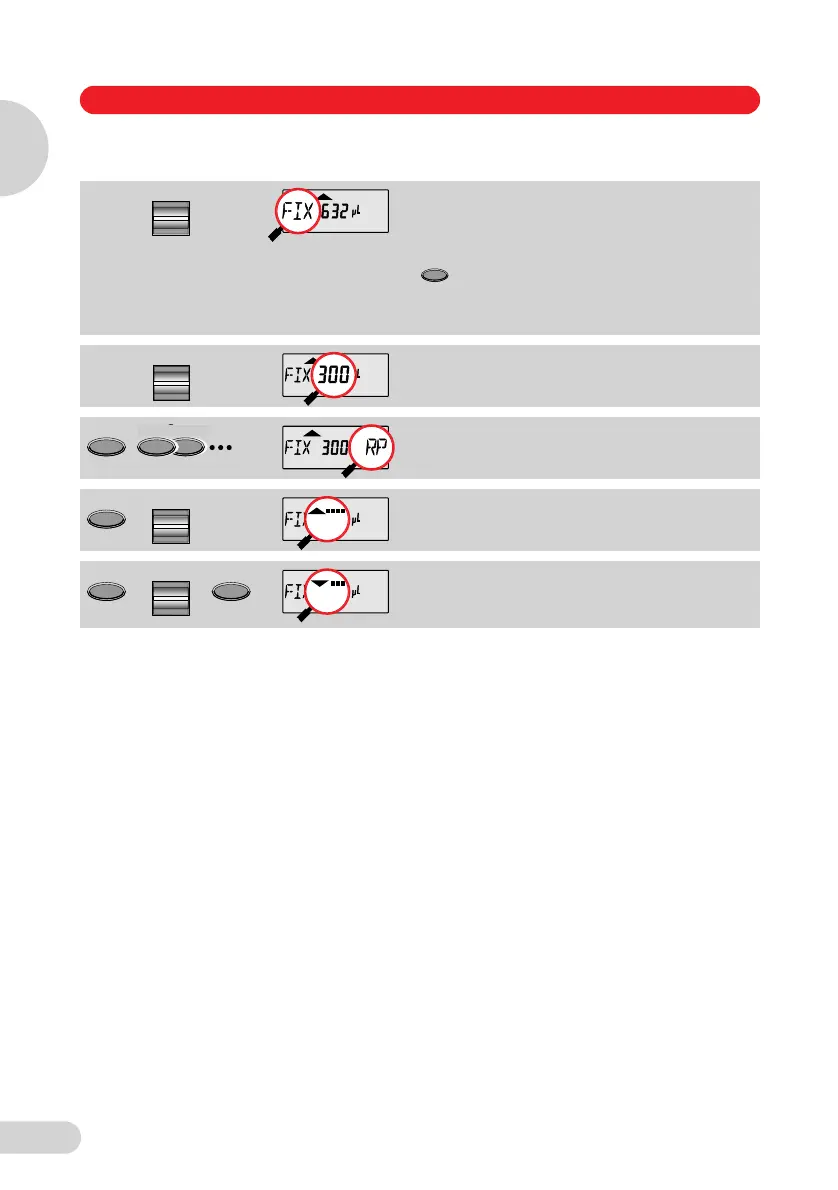
Selecting a fixed volume (with option and speed)
Note: The option and speeds selected are applicable for all fixed volumes.
It is possible to store the pipetting volume with speed and option by using Prog (Sec. 5.10).
Procedure
The procedure depends on the option selected. Information on the procedure according to the
option selected is contained in Sections 5.3 to 5.7.
If PROG
appears in
the display:
Press the
key
briefly until
PROG
disappears.
Select "FIX" for fixed volumes.
Select from the five FIX volumes.
Press the Option key repeatedly
until the desired option appears.
Display and selection of aspirating
speed.
Display and selection of dispensing
speed.
Select
5
Program
Volume
3
Option
Option
Option
3
Select
Select
Speed
5 Operation
Operation
5
1_E05_1 Bedienung A5 Seite 22 Donnerstag, 9. Oktober 2008 7:13 19



 To Next Page