14
Setting the Time and Date
Setting the current time and date in your meter is important if you intend to use the meter memory or if you
want to download your results to a computer.
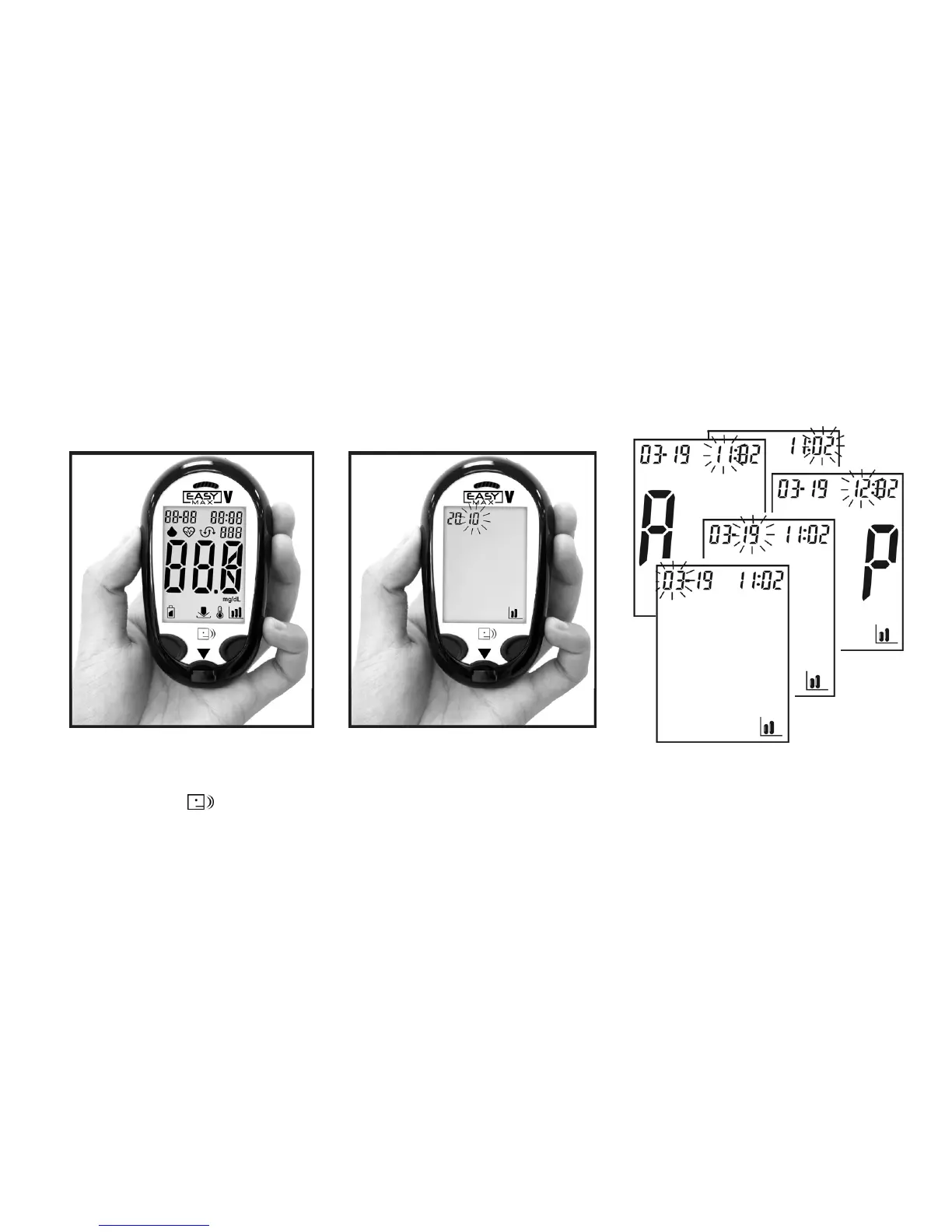
2. Press the right button again and the
last 2-digits of the year will be
flashing at the top of the display.
3. Press (Left Button) to adjust the
year and press (Right Button) to
confirm the setting.
4. Repeat step 2 and 3 to set
the date and time. The
flashing field is the one you
are currently setting.
(A=AM, P=PM)
1. Press (Right Button) to turn
the meter on. The meter will
greet you.



 To Next Page