20
Control Solution Test Continued
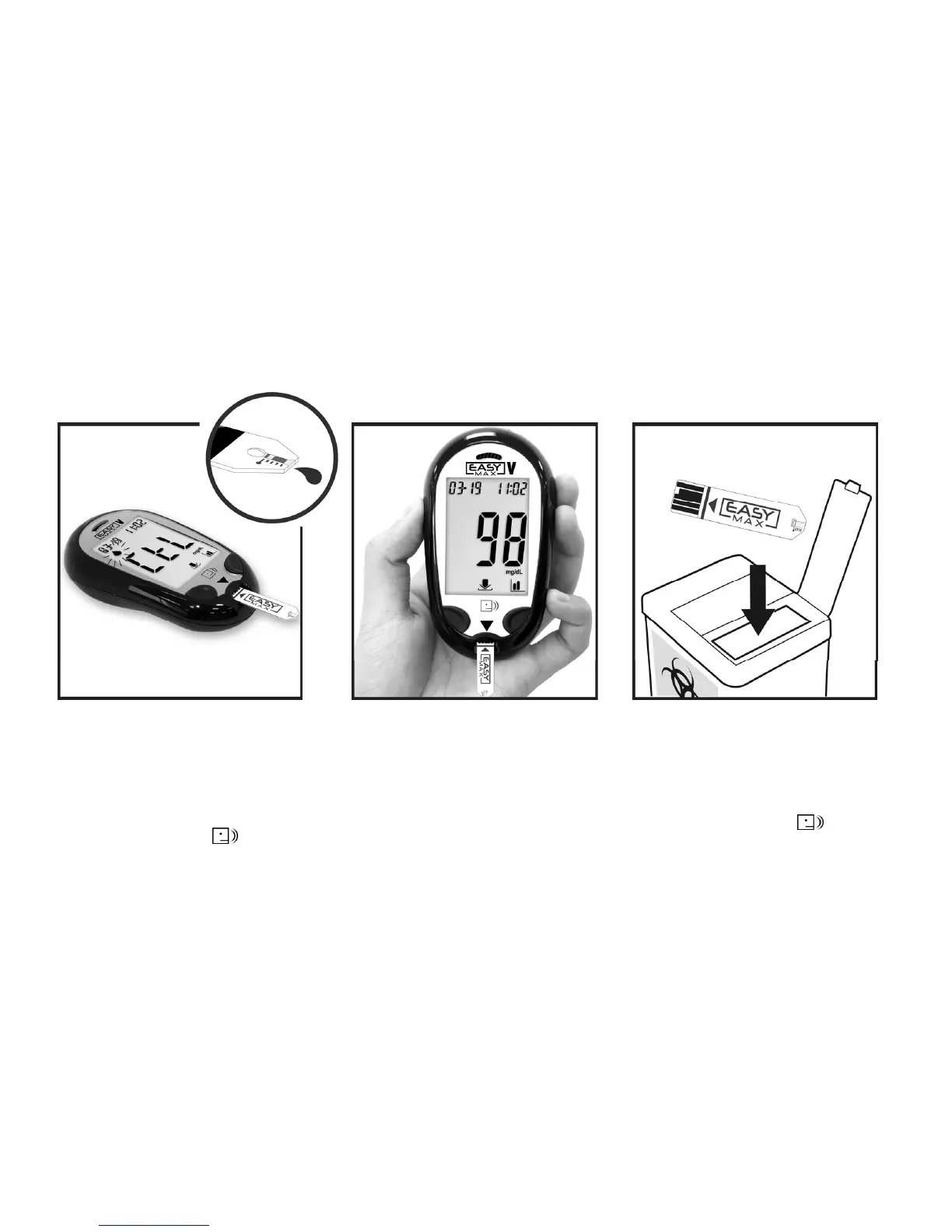
9. Do not remove the test strip
yet. Check if the reading falls
within the range printed on
the test strip bottle.
7. Touch the drop of Control
Solution to the tip of the test
strip.
8. The meter starts to count down
from 5 seconds and then will
show the result.
10. Remove the test strip and
throw it away after you have
compared the reading to
the range printed on the
test strip bottle.



 To Next Page