4.
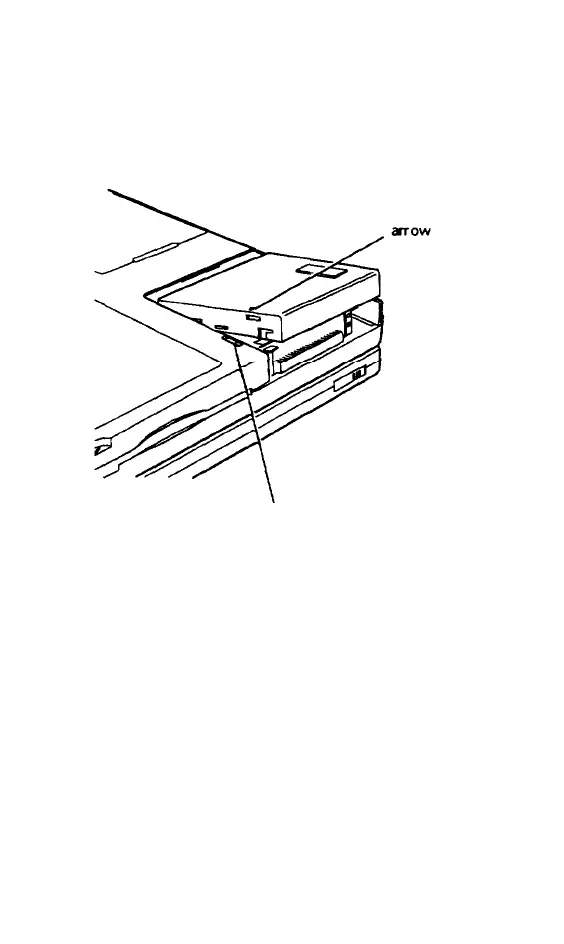
Position the drive cover over the
compartment so that the small arrow on
the cover aligns with the first notch in the
latch Lower the cover and then slide it
until it snaps shut
notch
5.
6.
Run Setup as described under
“Customizing Computer Settings” in
Chapter 6 to make sure the computer
recognizes your new drive.
After installing the operating system,
run the PHDISK utility to create a 25MB
partition on the drive. See “Using Instant
On and Saving to Disk” in Chapter 6 for
more information.
5-6 Upgrading Internal Components



 To Next Page