4.
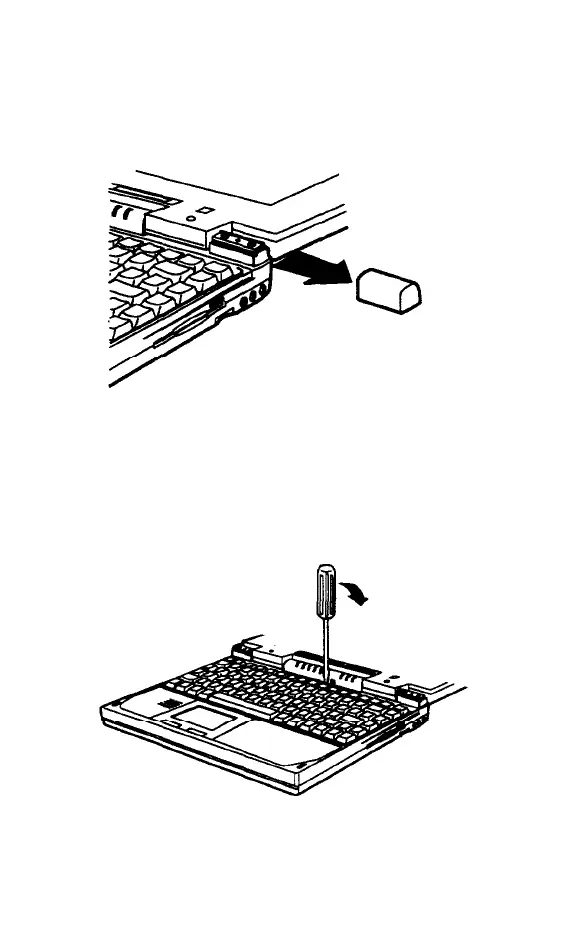
Remove the plastic caps on both sides of
the case below the screen. Use a small
screwdriver to pry each cap loose and
then slide it off, as shown.
5.
Use a small screwdriver to gently pry up
the plastic strip above the keyboard. You
can pry in the center as shown here, or in
front of the left and right hinges.
5-8 Upgrading Internal Components



 To Next Page