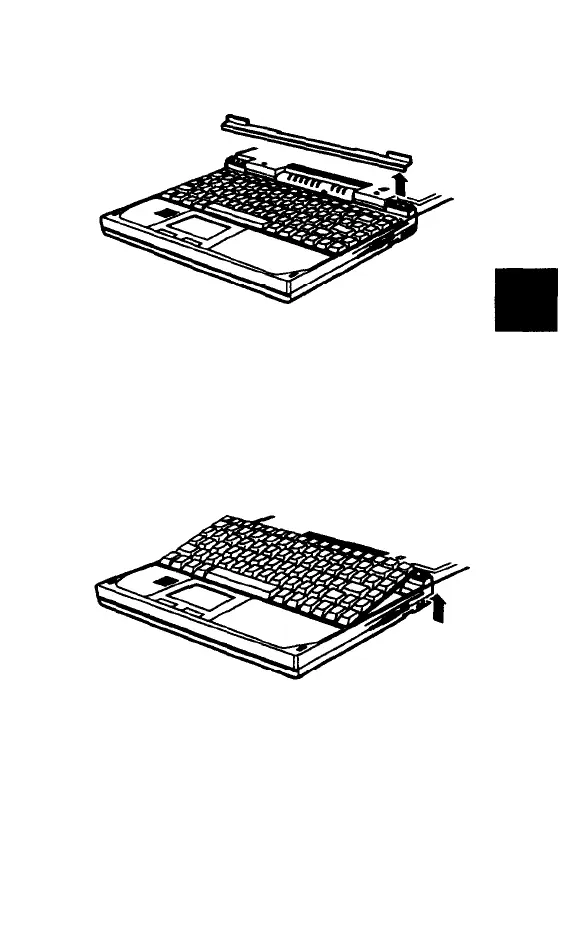
6.
Lift up the strip and remove it from the
case.
7.
Being careful not to pull on the keyboard
cables, gently lift the keyboard, holding it
by the top edge. Remove it from the case
and place it on a flat surface in front of
the computer.
Upgrading Internal Components 5-9



 To Next Page