23
Note: Use M4×9mm screws for mounting the projector.
Parent topic: Projector Part Locations
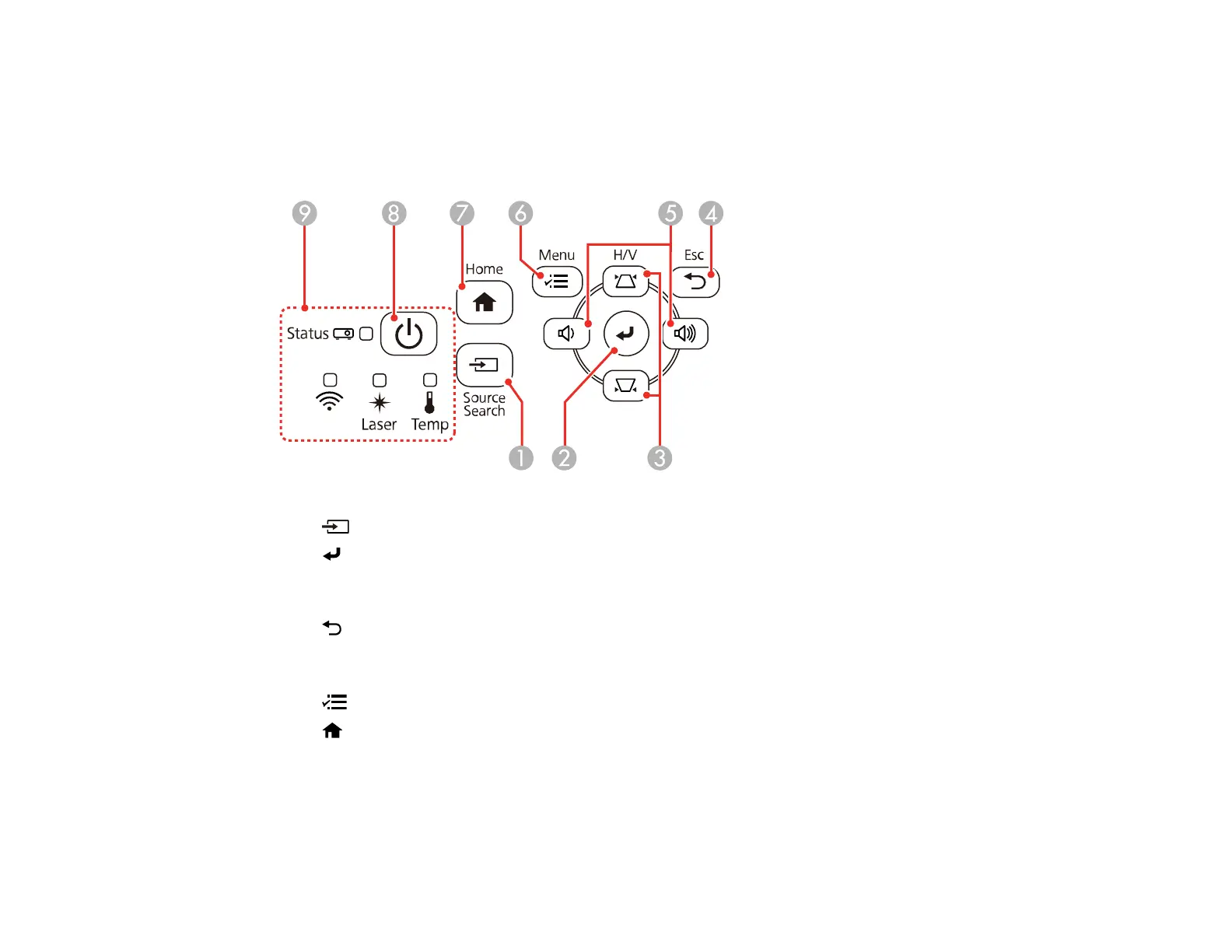
Projector Parts - Control Panel
1 Source Search button (searches for connected video sources)
2 Enter button (selects options)
3 Vertical keystone adjustment buttons (displays the adjustment screen and adjusts screen shape)
and arrow buttons
4 Esc button (cancels/exits functions)
5 Volume buttons (adjust speaker volume), horizontal keystone adjustment buttons, and arrow
buttons
6 Menu button (accesses projector menu system)
7
Home button (displays Home screen)
8 Power button
9 Status lights
Parent topic: Projector Part Locations











 To Next Page