82
Controlling a Networked Projector Using Crestron Connected
Once you have set up your projector to use Crestron Connected, you can control and monitor your
projector using a compatible web browser.
1. Start your web browser on a computer connected to the network.
2. Type the projector's IP address into the browser's address box and press the computer's Enter key.
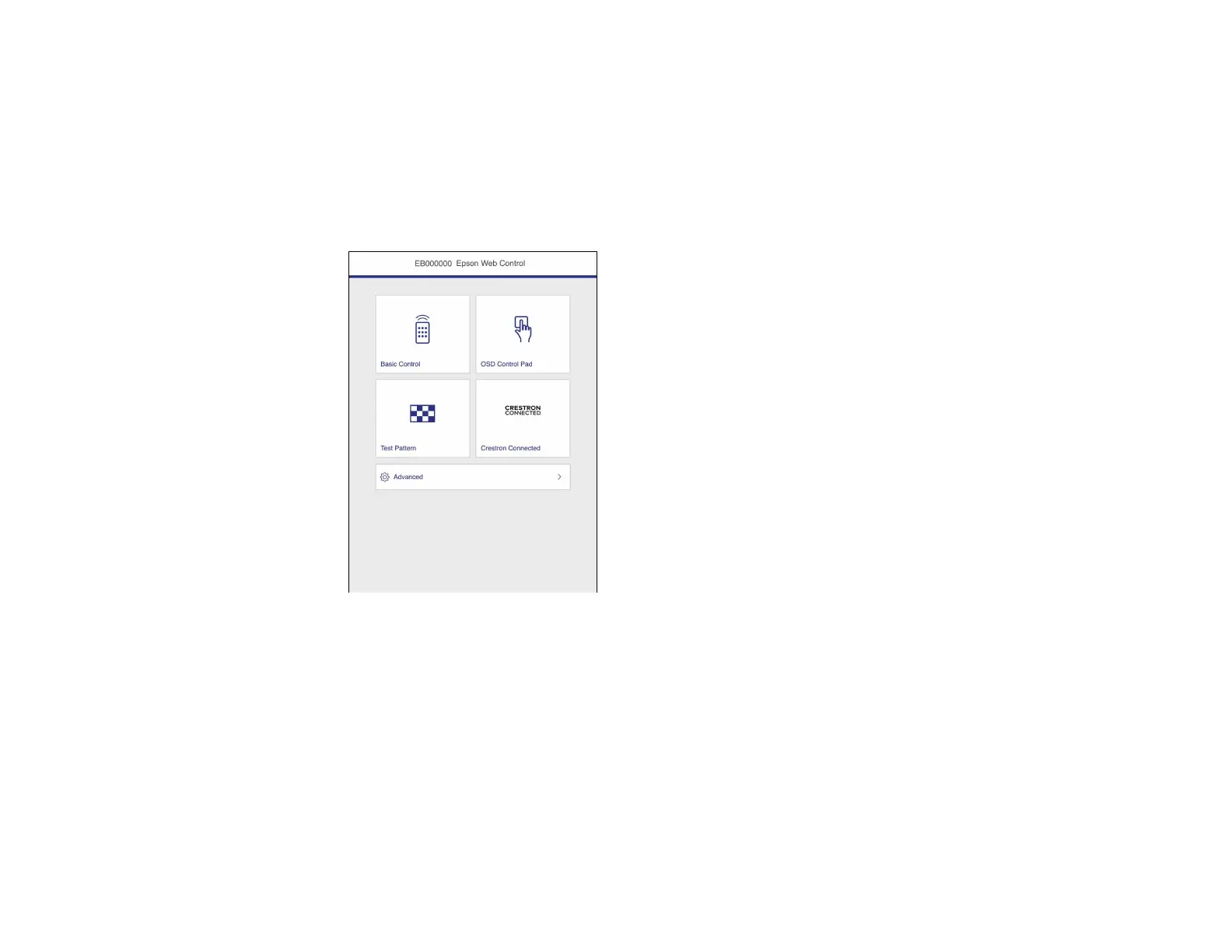
You see the Epson Web Control screen:
3. Select Crestron Connected to view the configuration page. Please see your network administrator
for setting up the configuration page.
Note: If you see a login window, enter your user name and password. (The default user name is
EPSONWEB and the default password is admin.)
Parent topic: Using Crestron Connected











 To Next Page