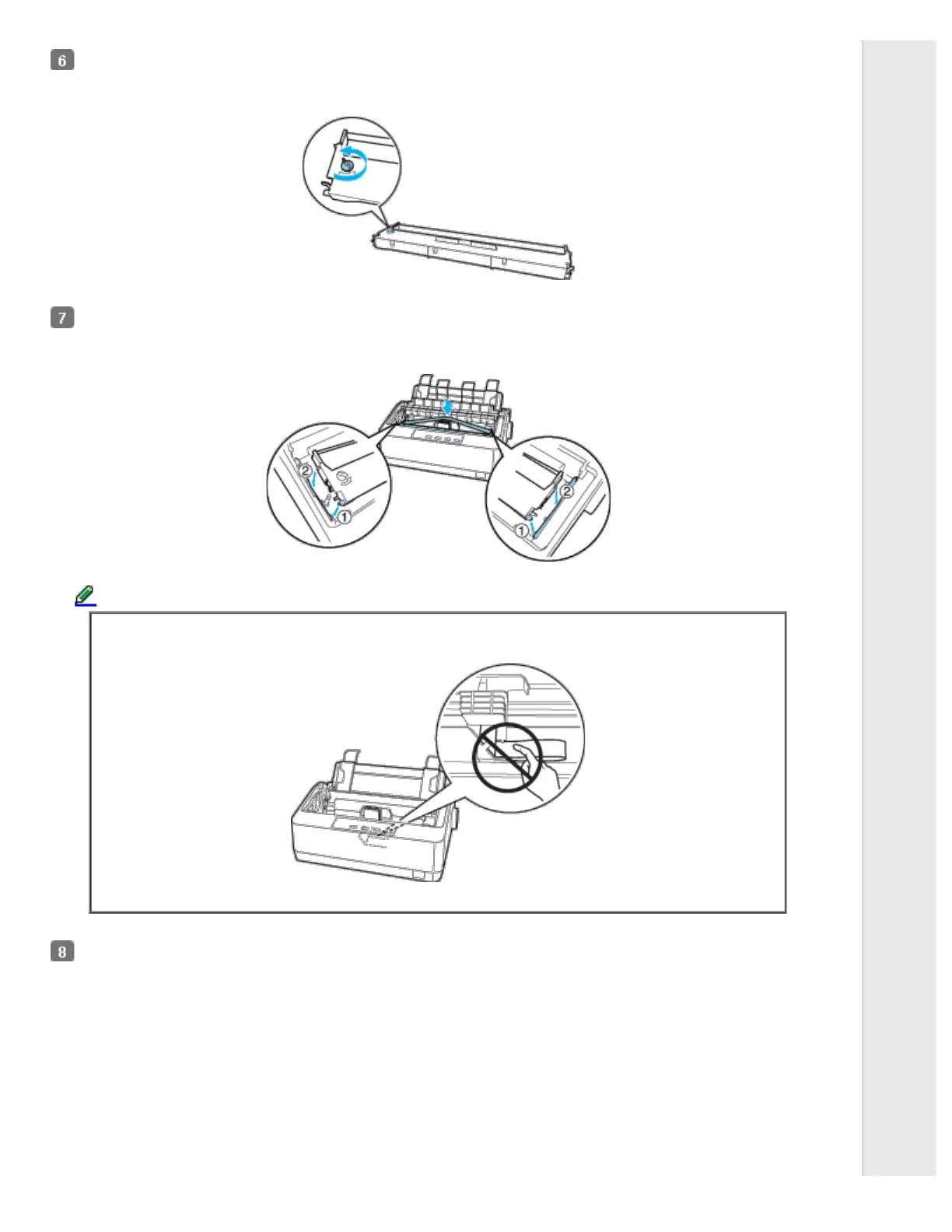
Turn the ribbon-tightening knob in the direction of the arrow to remove any slack from the ribbon so it is easier to
install.
Insert the ribbon cartridge into the printer as shown; then press both sides of the cartridge firmly to fit the plastic hooks
into the printer slots.
Note:
Do not touch the white cable inside the printer.
Use a pointed object, such as a ball point pen, to guide the ribbon between the print head and ribbon guide.



 To Next Page
 Loading...













