Home > Printer Software
Using Bi-D Adjustment
Making adjustment with Bi-D Adjustment
This utility tool allows you to make adjustment when you find a misalignment in vertical line.
Making adjustment with Bi-D Adjustment
To make Bi-D Adjustment, follow the steps below.
Caution:
Do not turn off the printer while the printer is printing adjustment pattern. Doing so may cause the
printer to store incorrect settings. If you turned off the printer during the adjustment process, restart
Bi-D Adjustment again.
Do not turn off Packet Mode setting.
Network connection is not supported.
Make sure that the printer’s status is ready before making Bi-D Adjustment.
If Bi-D Adjustment is not printed properly, set the printer’s font setting to default and try again.
Open the Utility menu, then click the Bi-D Adjustment icon. To find out how to open the Utility menu, see Using the
Printer Driver. The Bi-D Adjustment window appears.
Click Next.
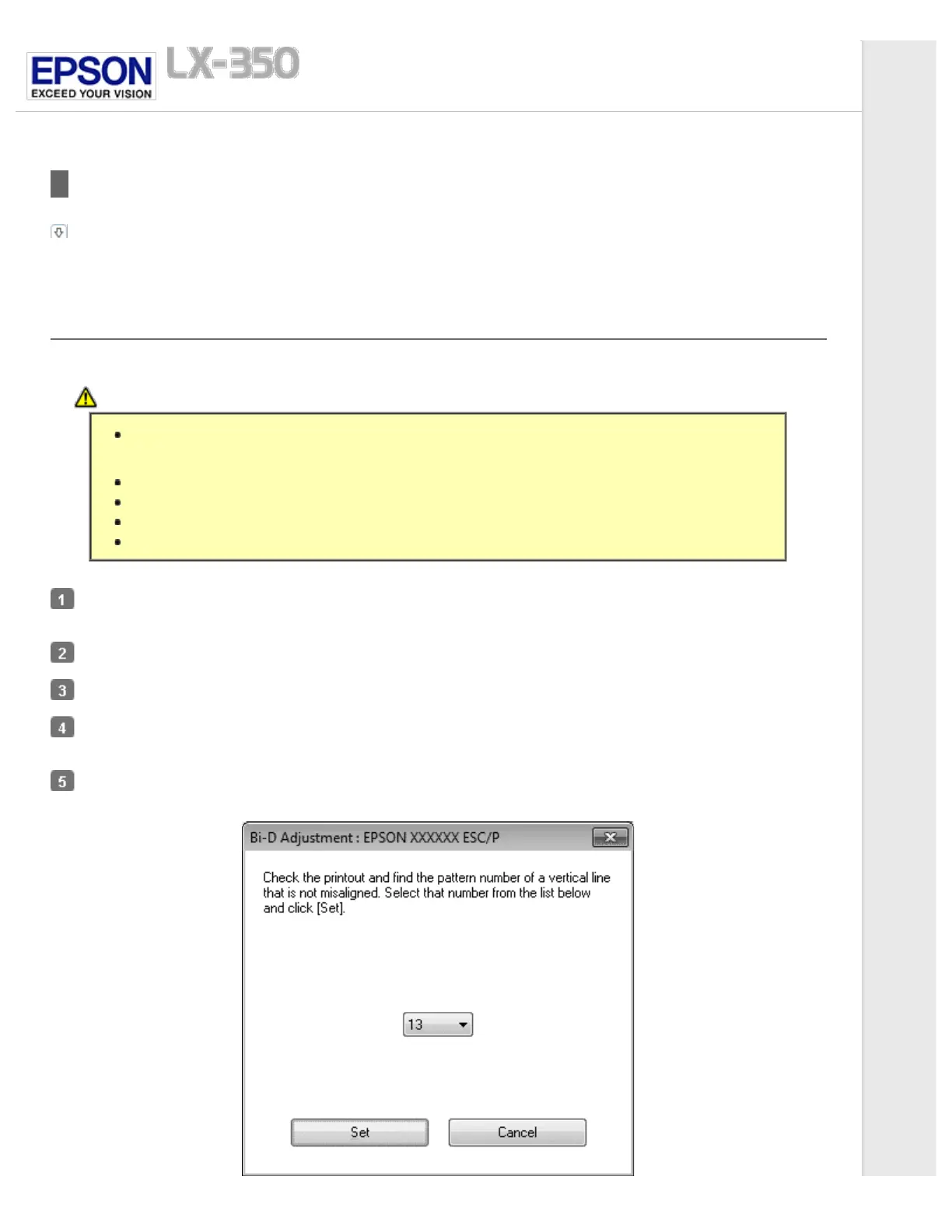
Click Print. The printer prints three sets of adjustment pattern.
Look at the adjustment patterns and find the vertical line that is aligned the best. Then, select the corresponding line
number in the Bi-D Adjustment window.
Click Set. The adjustment pattern will be stored in the printer.



 To Next Page
 Loading...













