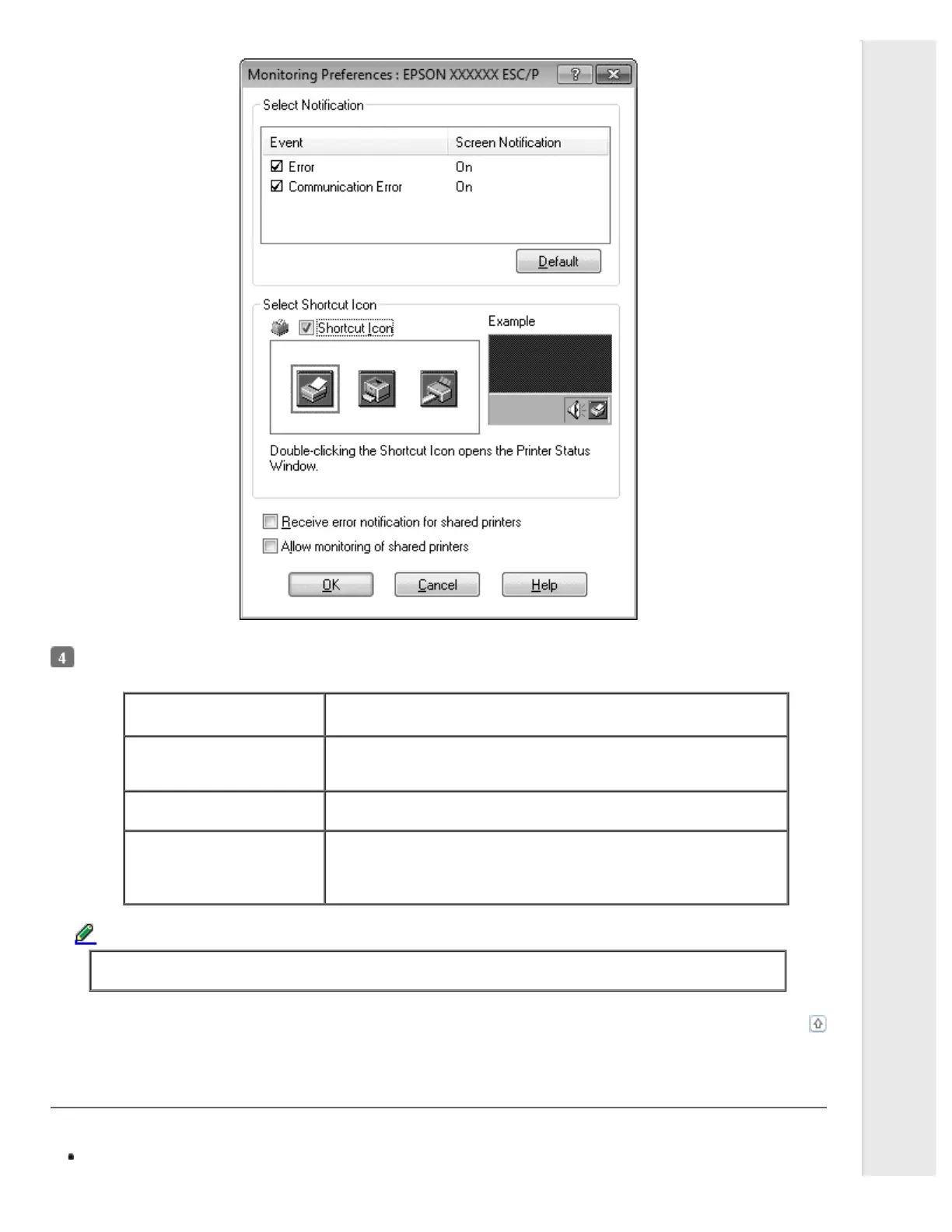
The following settings are available:
Select Notification Displays the error item check box On/Off status.
Turn on this check box to display the selected error notification.
Select Shortcut Icon The selected icon is displayed on the taskbar. The setting’s example is
shown on the right window. By clicking the shortcut icon, you can access
the Monitoring Preferences dialog box easily.
Receive error notification for
shared printers
Error notification for a shared printer can be received when this check box
is selected.
Allow monitoring of shared
printer
When this check box is selected, a shared printer can be monitored by
other PCs.
Note:
You must access Windows as the Administrator.
Note:
Click the Default button to revert all items to the default settings.
Top
Accessing EPSON Status Monitor 3
Do one of the following to access EPSON Status Monitor 3:
Double-click the printer-shaped shortcut icon on the taskbar. To add a shortcut icon to the taskbar, go to the Utility
menu and follow the instructions.



 To Next Page