121
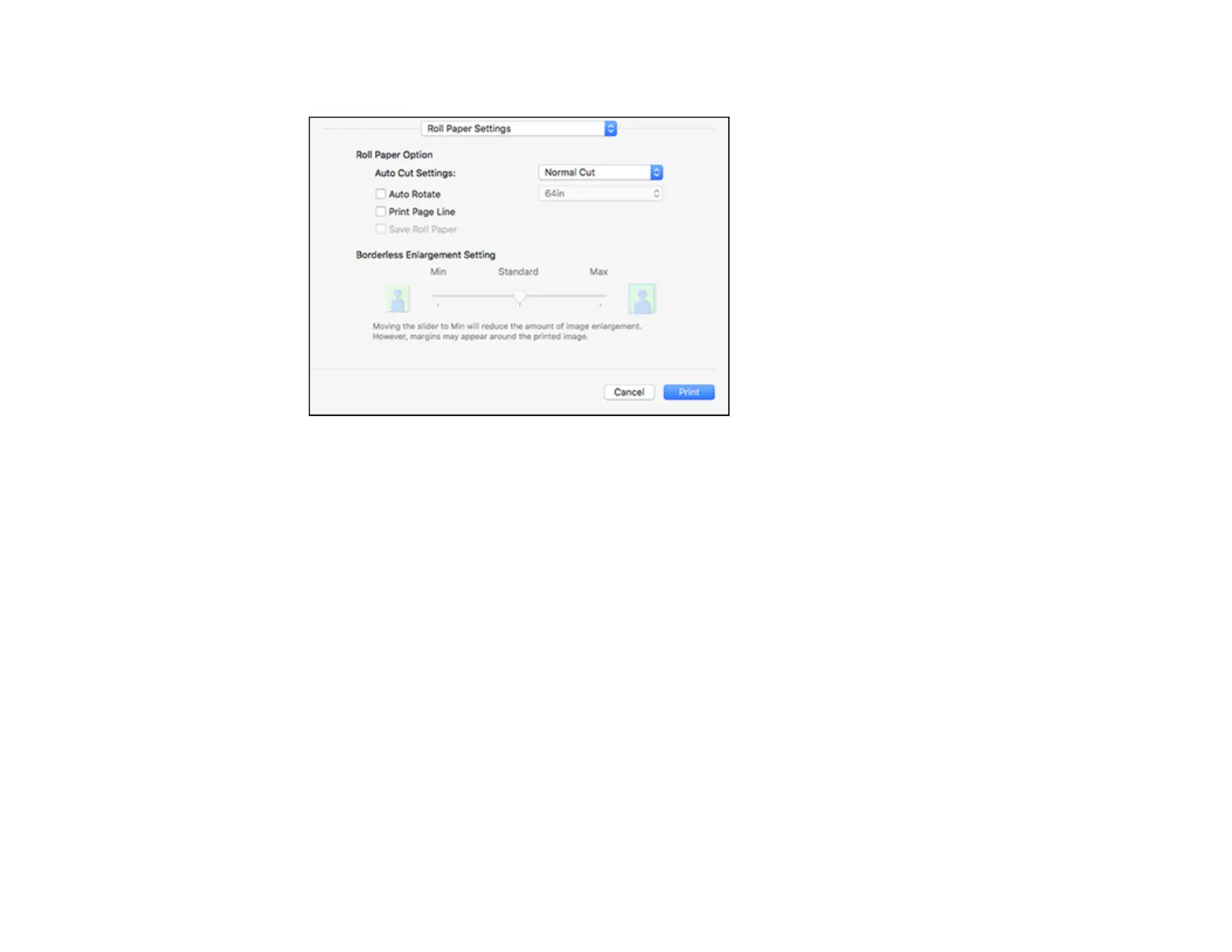
You see this window:
Note: Some settings may not be available, depending on the Roll Paper option you selected for your
Paper Size.
9. Click Save Roll Paper to minimize the amount of blank paper wasted when you print on banner
paper.
10. Adjust the amount of image expansion when printing borderless images.
Note: This option is available only when you choose a Paper Size setting with a Borderless option.
11. Click Print.
Roll Paper Options - Mac
Parent topic: Printing on a Mac
Related references
Borderless Paper Type Compatibility


 To Next Page