2-10 Scanning and Other Basic Stuff
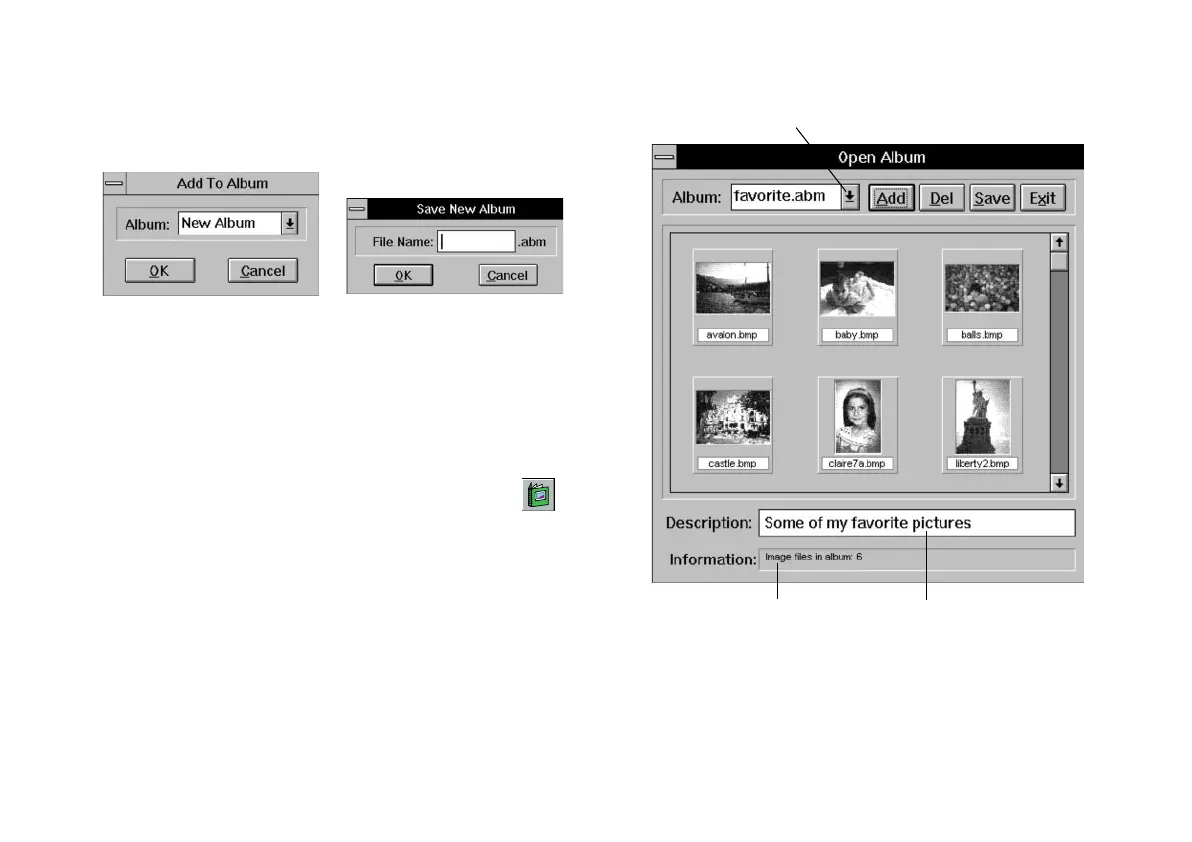
2 Select New Album and click OK. The Save New
Album dialog box appears:
3 Type a name for the album and click OK.
Working with Your AlbumWorking with Your Album
After you start an album, you can use it any time you
want to open one of your pictures or add more pictures.
1 To open your album, click the Album button or
choose Open AlbumOpen Album from the File menu.
2 The Open Album window appears, with your image
or images, as shown to the right.
Click to see a different
album or create new album.
Type album description here.Click an image to see
its information here.
php_2.fm5 Page 10 Monday, July 8, 1996 3:06 PM





 To Next Page