Introduction 3
A
B
❙ Sound card and speakers (for the Magnet Kit only)
❙ Microsoft
®
Windows 3.1 or Windows 95.
About This GuideAbout This Guide
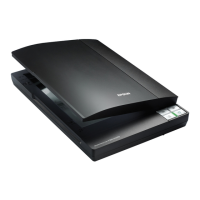
Chapter 1Chapter 1 identifies the parts of your PhotoPlus
scanner, and shows you how to set it up and install the
software.
Chapter 2Chapter 2 shows you how to scan pictures with your
PhotoPlus scanner, and how to use your software to
organize, print, and save your images.
Chapter 3Chapter 3 covers the editing features of your PhotoPlus
software, including cropping, rotating, and converting
image types.
Chapter 4Chapter 4 shows you how to enhance your images by
adjusting brightness, contrast, and colors, and using
special effects.
Chapter 5Chapter 5 explains how to display your photos in slide
shows and screen savers, and print them in framed
pictures and calendars.
Chapter 6Chapter 6 introduces Print Artist and gets you started
designing your own photo projects for work or play.
Chapter 7Chapter 7 shows you how to use the multimedia
Magnet Kit to design, print, and assemble 8 photo
magnets.
Chapter 8Chapter 8 tells you how to scan business cards and
organize them into electronic card files.
Chapter 9 Chapter 9 covers these advanced features: scanning by
hand and stitching two images together.
Chapter 10 Chapter 10 provides maintenance and troubleshooting
tips.
Appendix AAppendix A lists the specifications of your PhotoPlus.
The GlossaryGlossary explains scanning and image-editing
words that may be new to you.
The IndexIndex helps you locate specific information.
php_int.fm5 Page 3 Monday, July 8, 1996 3:04 PM





 To Next Page