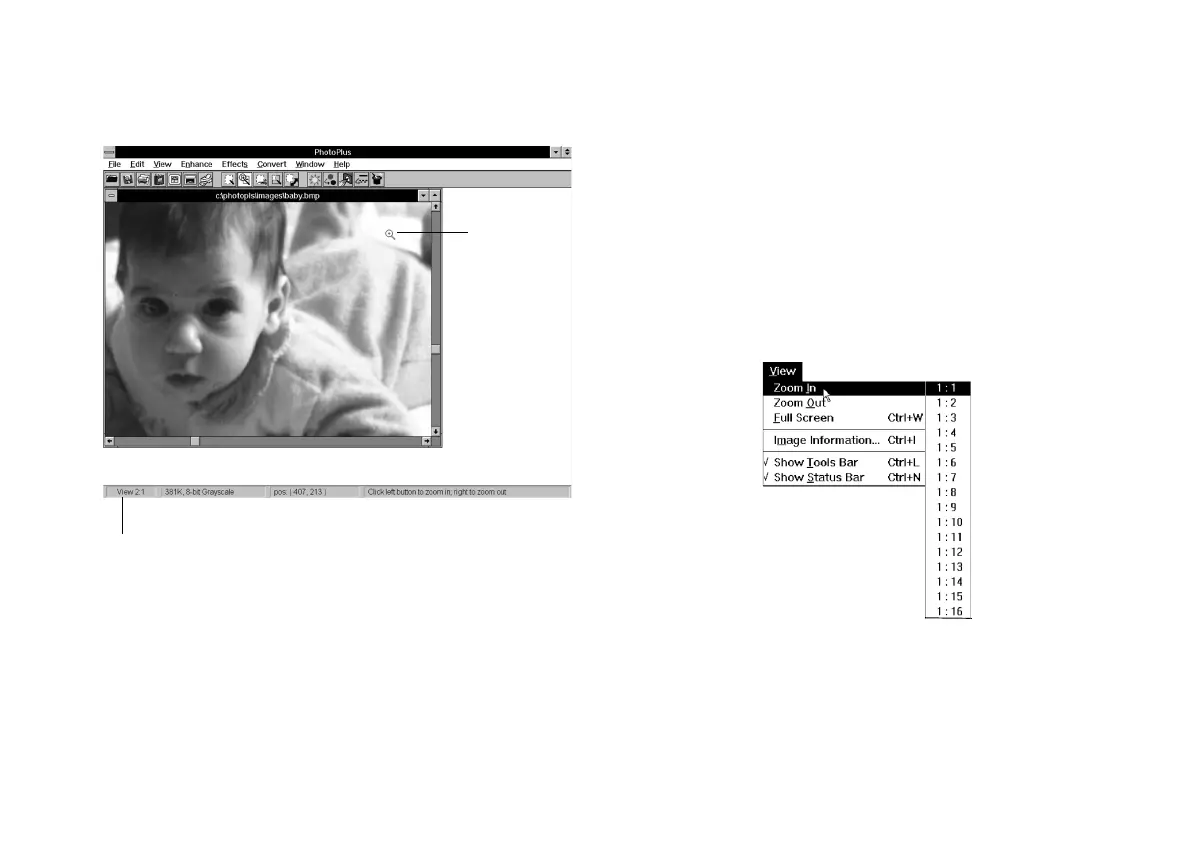
3-4 Editing: Transforming Your Images
The image is magnified 2×.
3 Continue clicking to increase the magnification. You
can increase it up to 16×.
4 To decrease the magnification, click the right mouse
button on the image. Continue clicking the right
button to zoom out even more.
Using the Zoom CommandsUsing the Zoom Commands
Follow these steps to zoom from the menu:
1 Choose Zoom InZoom In or Zoom OutZoom Out from the View menu.
You see a list of magnification ratios:
2 Choose the degree of magnification or reduction
you want.
Zoom tool
Level of magnification
php_3.fm5 Page 4 Monday, July 8, 1996 3:11 PM





 To Next Page