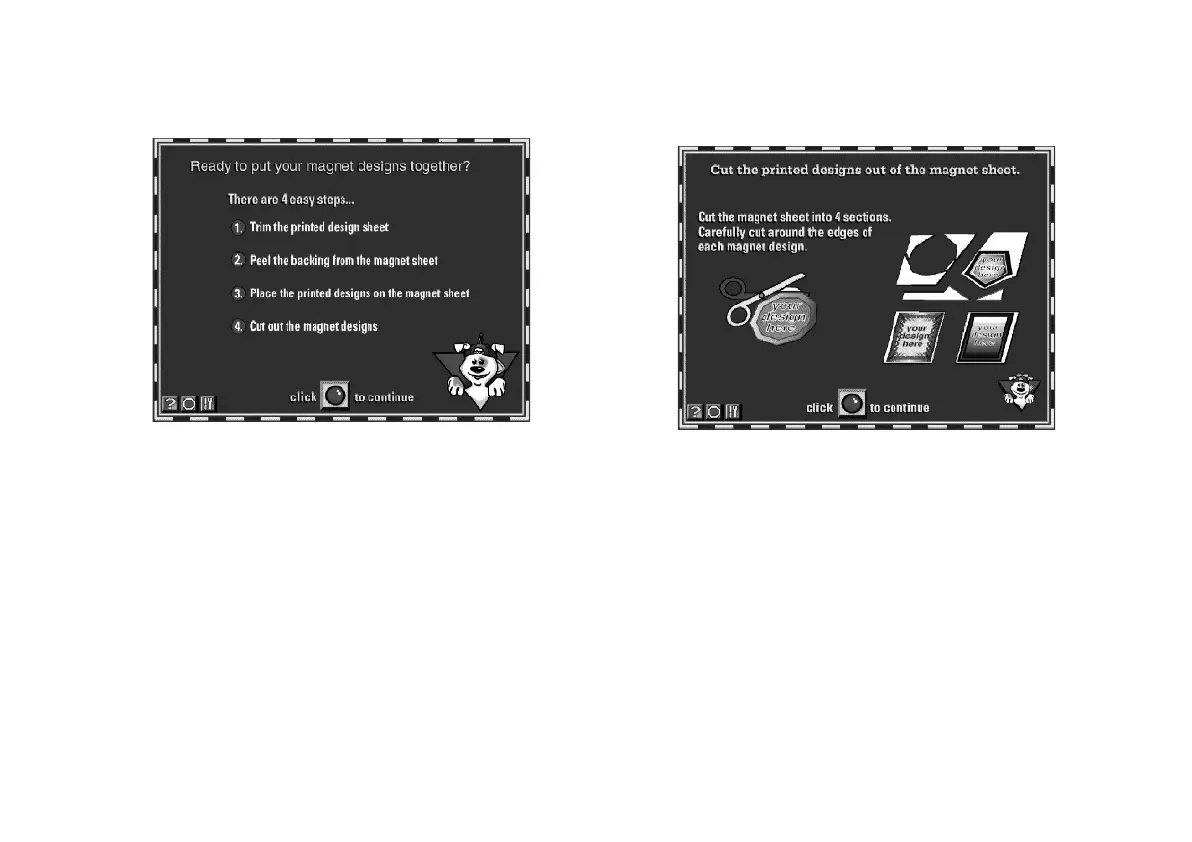
7-8 PrintPaks Magnet Kit: Family Stuff
Here’s where you start:
1 Click the red button to see what to do next.
2 Trim the bottom of the sheet as shown on the
screen, then click the red button.
3 Peel the backing from the magnet sheet as shown,
then click the red button.
4 Place the printed sheet on the magnet and position
it carefully before you press it down. Then click the
red button again.
You see the final screen of instructions:
5 Cut out each of your magnets and click the red
button. You’re finished!
From here, you can start over again to make a new set
of magnets, find out more about refills and other kits, or
close the Magnet Kit software.
For Magnet Kit technical support, call (503) 295-6182.
php_7.fm5 Page 8 Monday, July 8, 1996 3:30 PM





 To Next Page