D
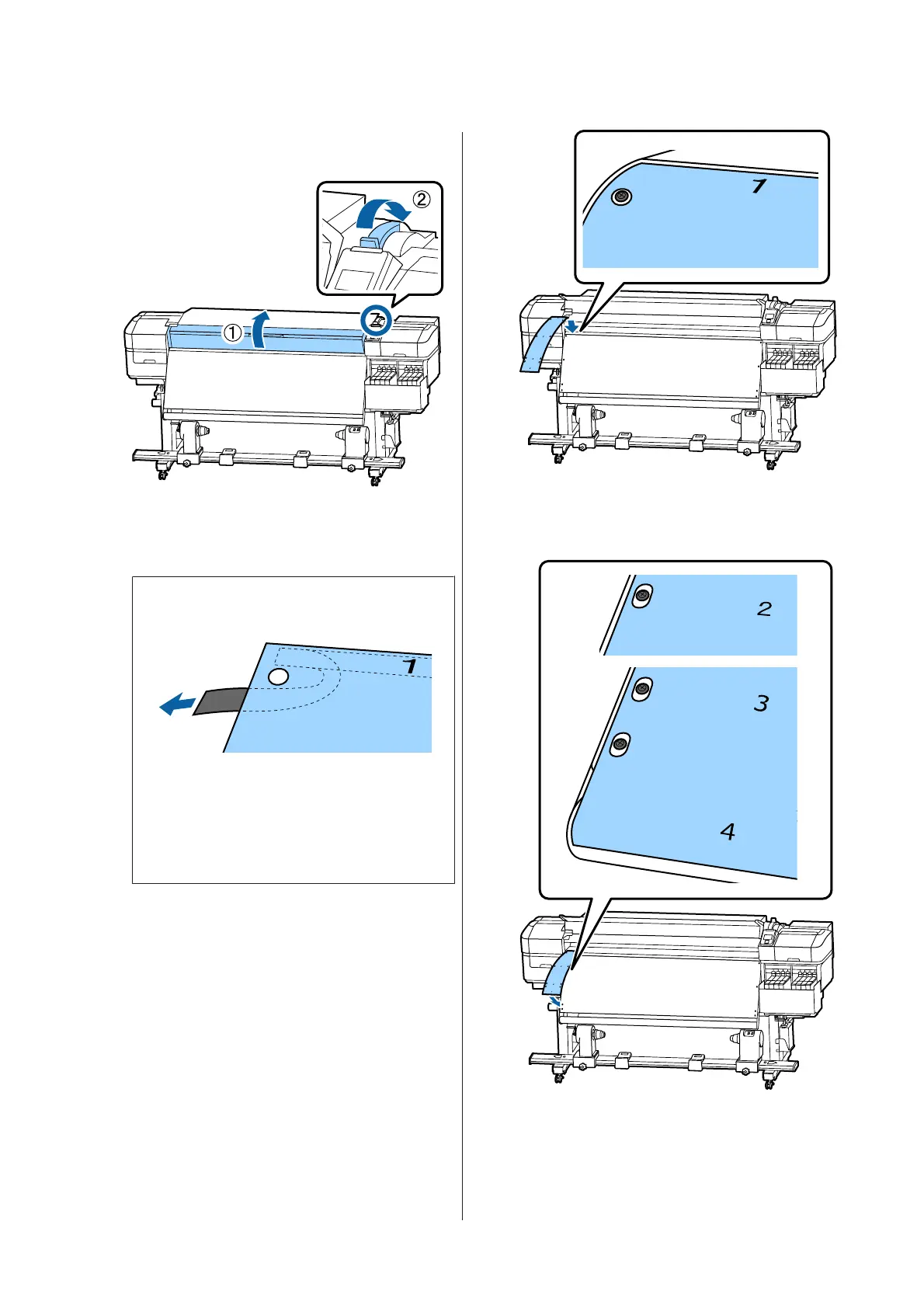
Open the front cover and raise the media
loading lever.
E
As shown in the illustration, align Hole 1 of
film b with the screw at the top of the heater,
and then adhere it.
Note:
❏ Peel off any protective film from the back.
❏ The adhesive side may be dirty if you reuse a
film that has already been used once. Soak a
lint-free cloth in water, wring it out, and
then use it to wipe away the dust and lint
stuck to the reverse side.
F
As shown in the illustration, align Hole 2, Hole
3 and Hole 4 of film b with the screws on the
left edge of the heater, and then adhere them.
G
Repeat steps 5 and 6 to attach another film b to
the right side of the heater.
SC-F9300 Series User's Guide
Appendix
122



 To Next Page
 Loading...







