H
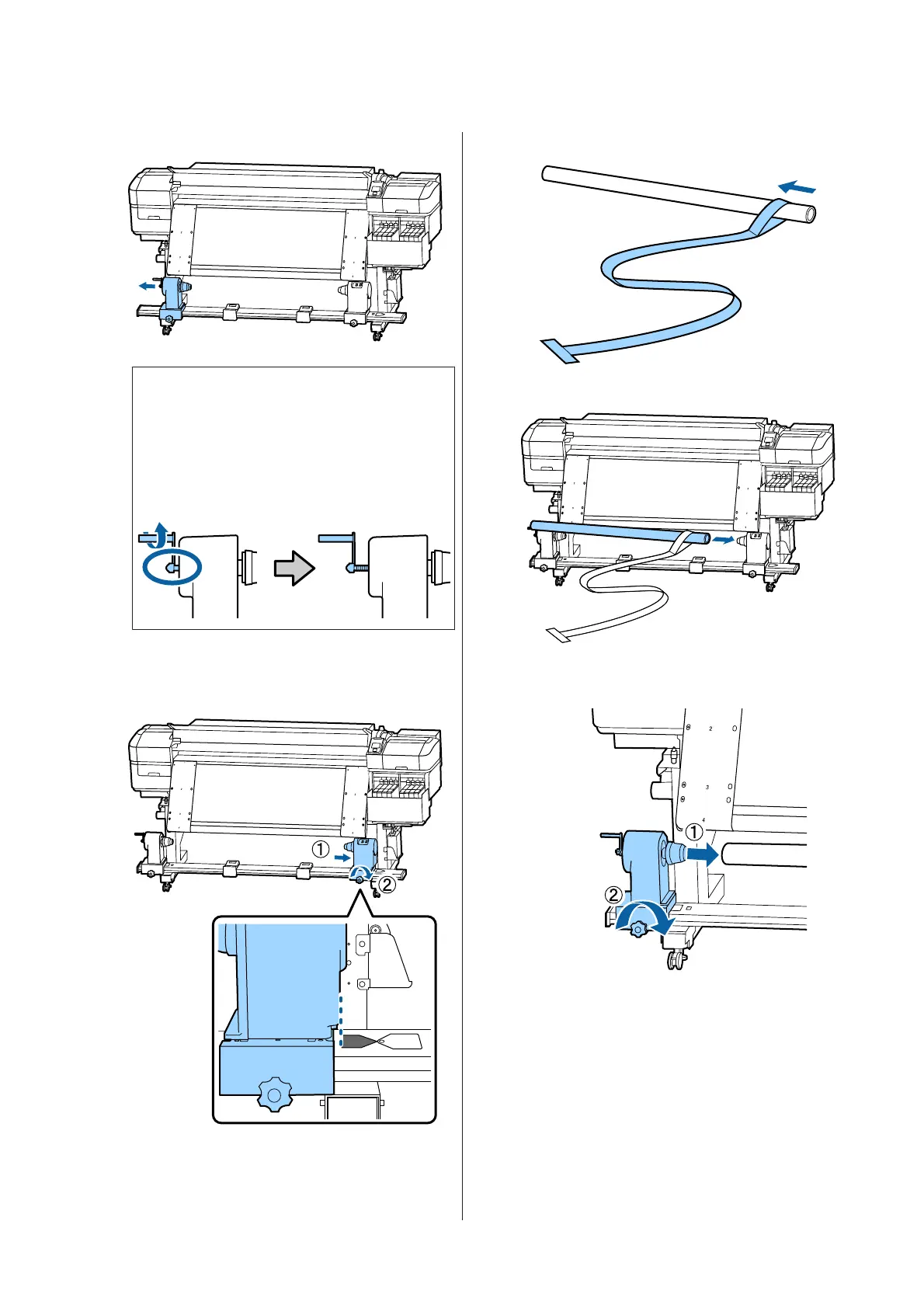
Move the left roll core holder outward.
c
Important:
If the left-side roll core handle's shaft is not
visible, rotate the handle as shown in the
illustration until it stops. The roll core
cannot be properly loaded if the handle's
shaft is not visible.
I
Align the right roll core holder with the
position of the dotted line, and then tighten the
roll core holder locking screw.
J
Pass film a through the roll core.
K
Insert the roll core into the right roll core holder.
L
Insert the left roll core holder, and then tighten
the roll core holder locking screw.
SC-F9300 Series User's Guide
Appendix
123



 To Next Page
 Loading...







