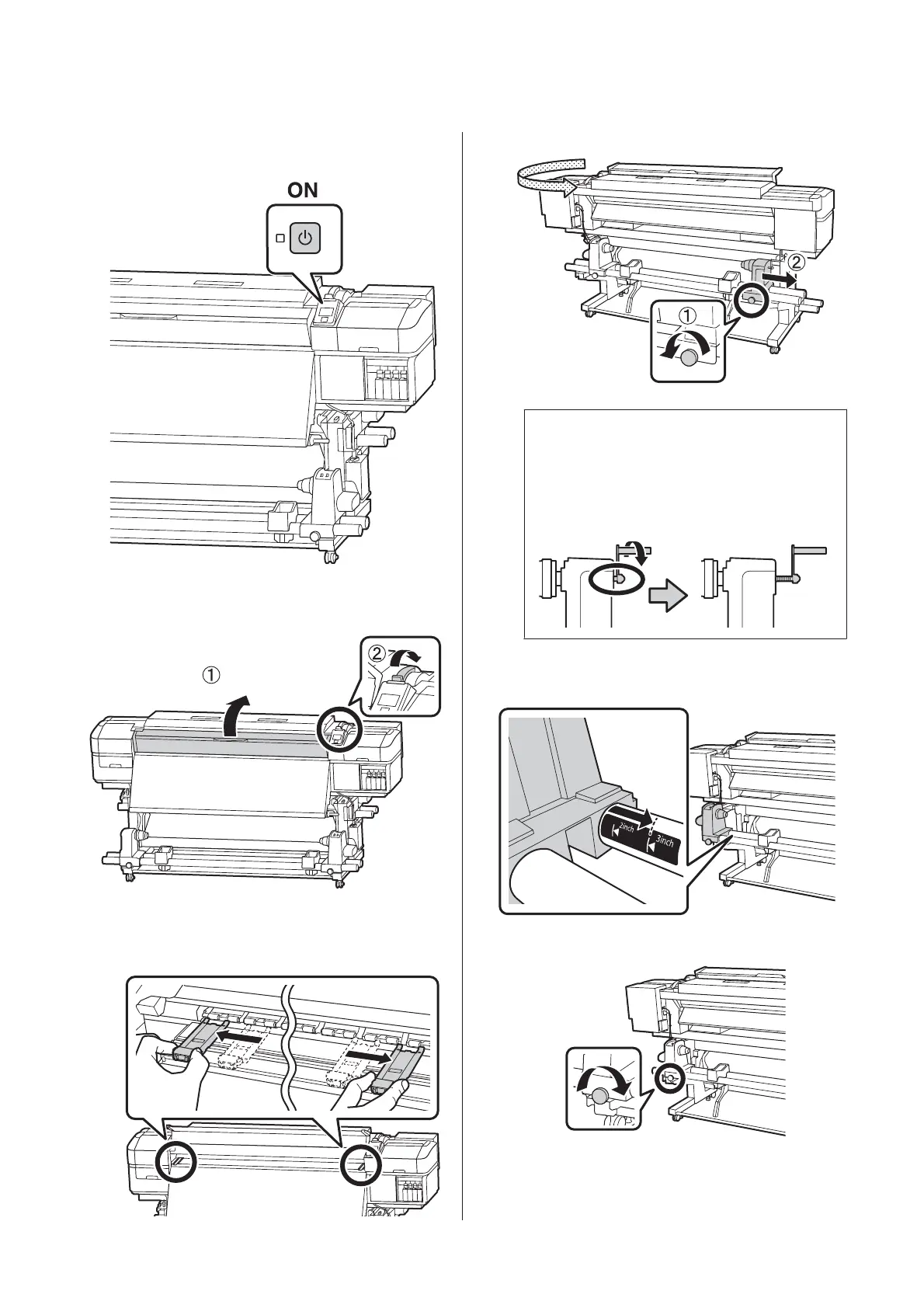
A
Press the P button, and then wait until Load
media. is displayed on the screen.
B
Open the front cover, and then raise the Media
loading lever.
C
While holding the tabs of the media edge plate on
both sides, move the plate out of the way toward
both edges of the platen.
D
c
Important:
If the right holder handle shaft is not visible,
rotate the handle forward until it stops. The
media can not be properly loaded if the handle
shaft is not visible.
E
Move the roll holder to the set position according
to the roll size of the media that will be loaded.
F
Tighten the screw until the screw no longer turns.
SC-S80600 Series/SC-S80600L Series/SC-S60600 Series/SC-S60600L Series/SC-S40600 Series Operator's Guide
Basic Operations
9


 To Next Page
 Loading...