16
Chapter 1
Getting Ready
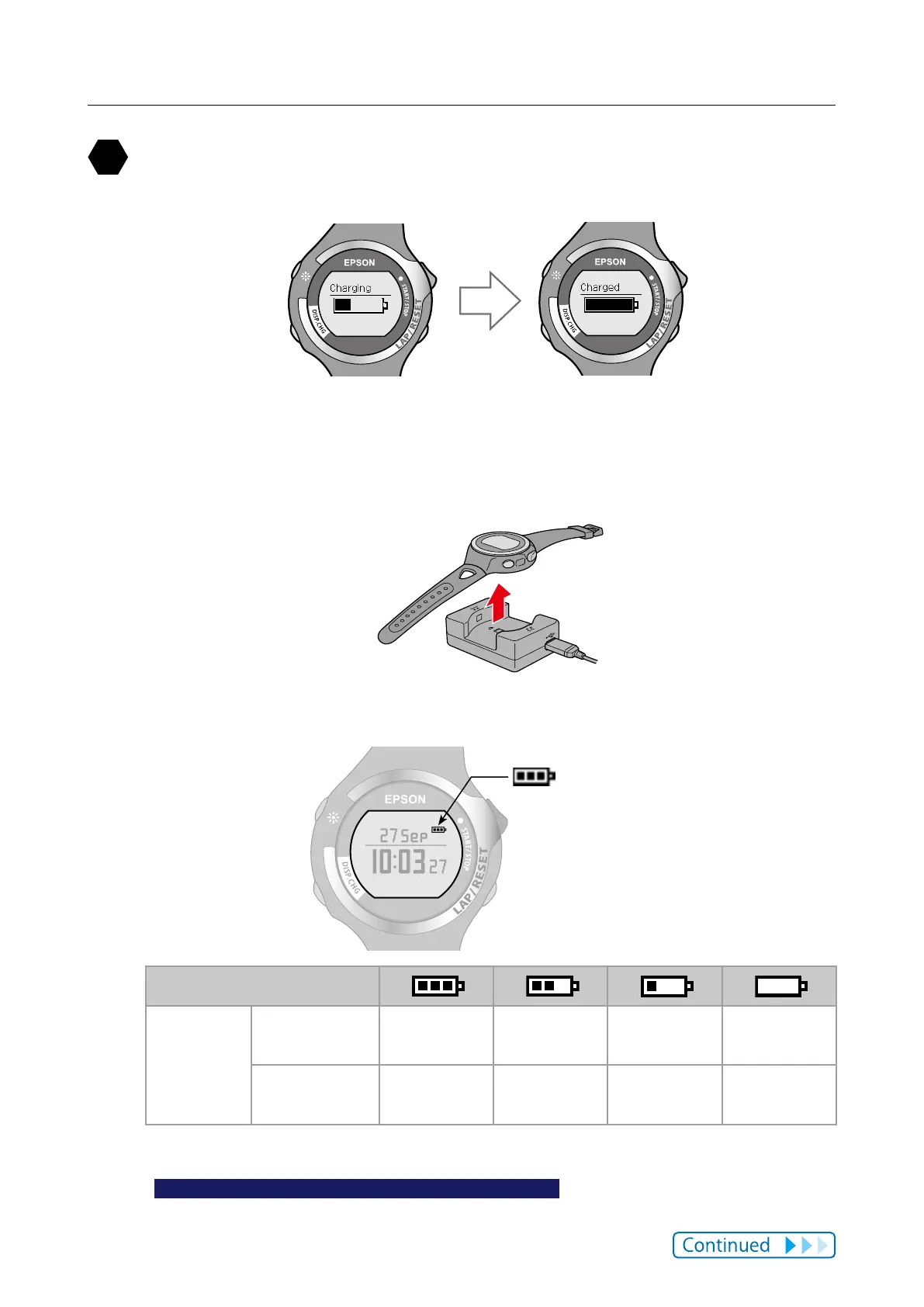
When charging is complete, remove the device from the cradle.
When charging is complete, the display changes from [Charging] to [Charged].
Although the standard charge time from completely empty to fully charged is
2.5 to 3.5 hours, this may change depending on the usage situation and
environment.
Hold the cradle rmly when you remove the device.
You can check how much charge remains from the icon at the top right of the
time display.
Battery icon
Battery icon
Hours
remaining*
GPS On,
HR sensor O
10 to 14 hours 5 to 10 hours 2 to 5 hours 0 to 2 hours
GPS On,
HR sensor On
7 to 10 hours 3 to 7 hours 1.5 to 3 hours 0 to 1.5 hours
* Standard times in which the Chronograph, Exercise, and Interval functions can be used while receiving a GPS
signal.
The usage time diers depending on the status of the HR sensor.
There is no dierence in usage time if the stride sensor is on or o.
Using the light frequently makes the battery run low.



 To Next Page