99
Chapter 8
About Settings
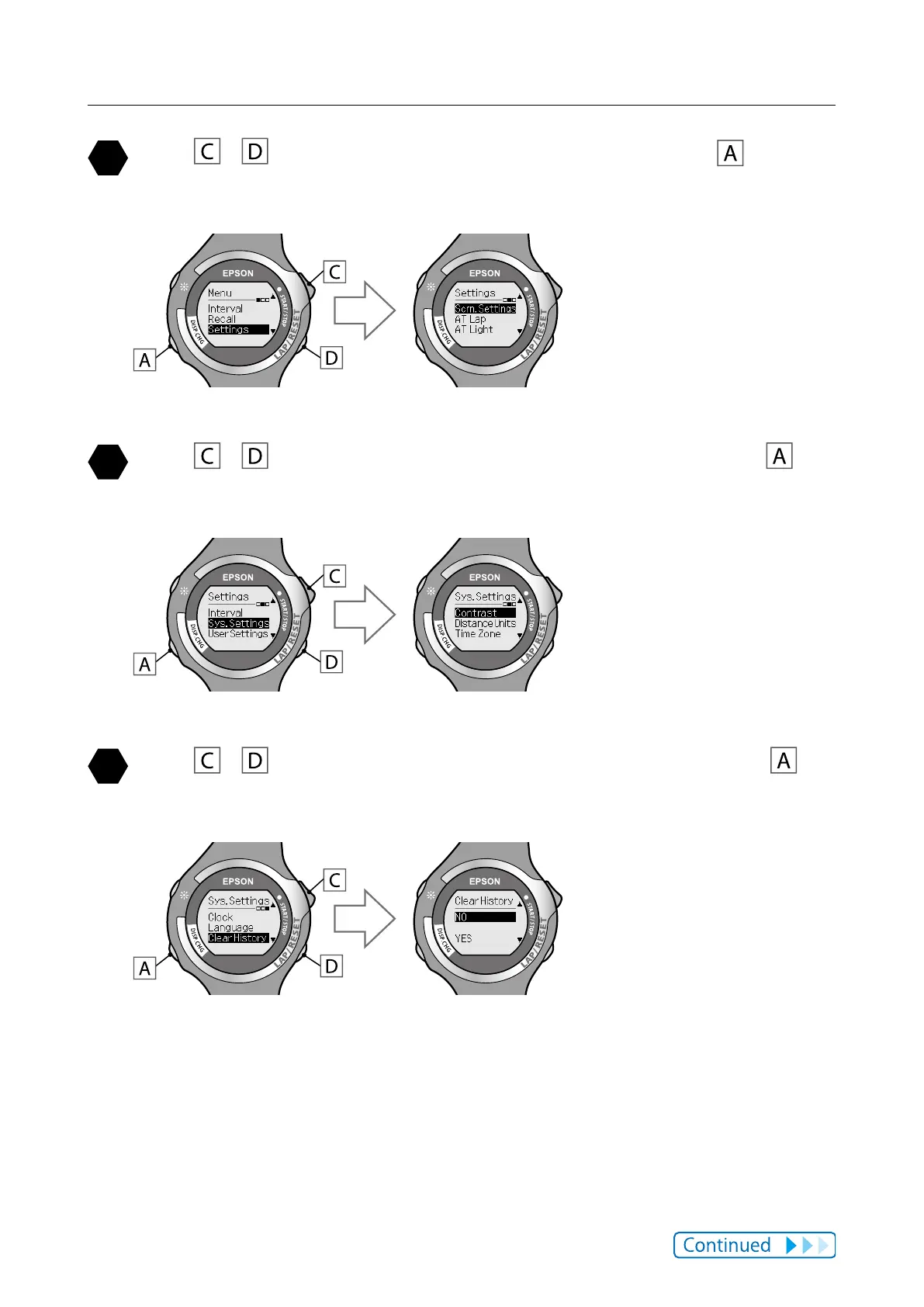
Use / to highlight [Settings], and then press .
The [Settings] function selection screen is displayed.
Use / to highlight [Sys. Settings], and then press .
Allows you to select settings for [Sys. Settings].
Use / to highlight [Clear History], and then press .
The [Clear History] settings screen is displayed.



 To Next Page