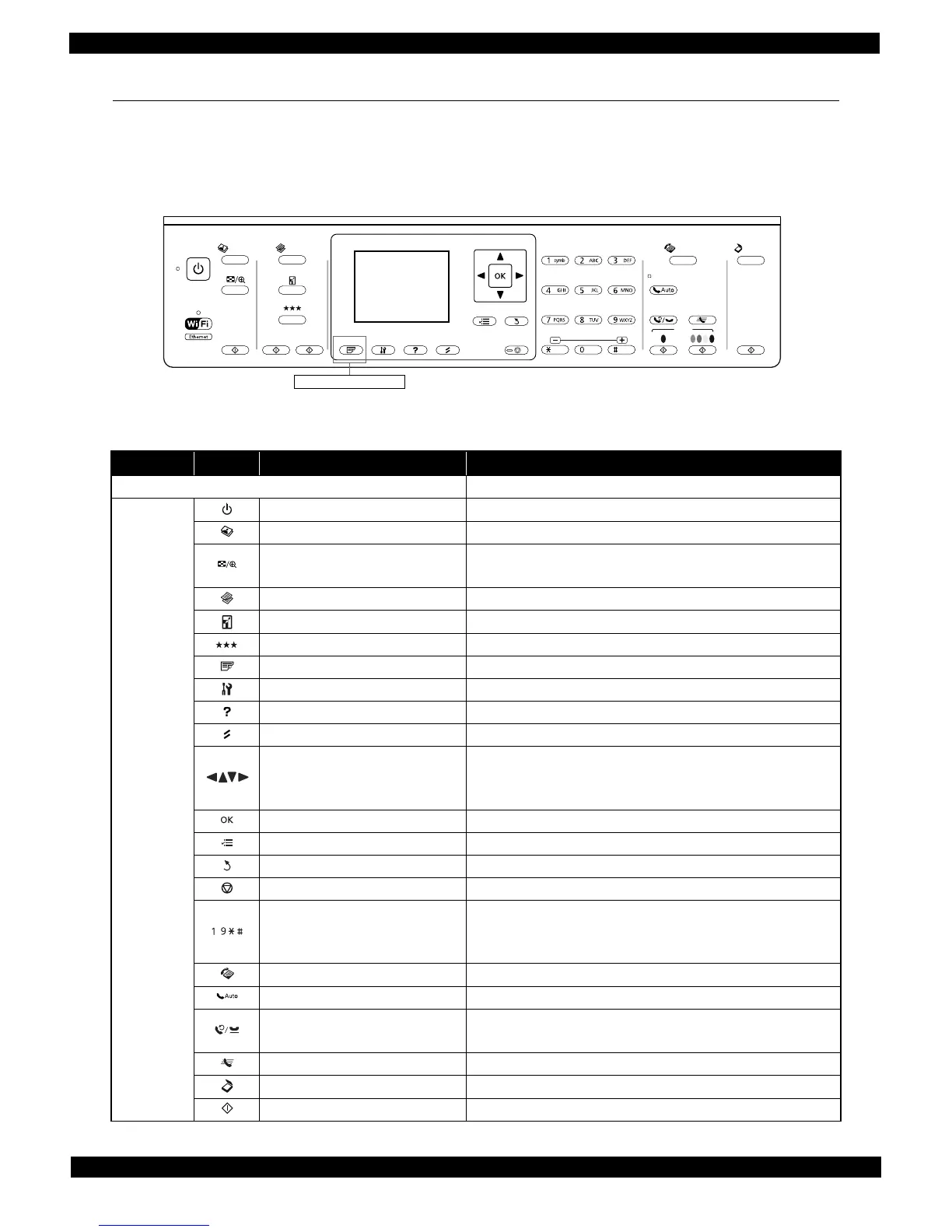
1.4 Control Panel
1.4.1 Operation Buttons
The operation buttons, LEDs, and LCD are shown below. See Table 1-6 and Table 1-7 for the functions.
WF-7520/7510 series
Figure 1-2. Control Panel (WF-7520/7510 series)
Table 1-6. Operation Buttons, LEDs and LCD (WF-7520/7510 series)
Item Icon Name Function
LCD Indicates the printer status, error, and menu screen.
Button/
touch panel
Power Turns the power on/off.
Photo Enters photo mode.
Display/Crop
• Enters zoom setting screen for selected image.
• Switches preview screens on LCD.
Copy Enters copy mode.
Reduce/Enlarge Specifies copy magnification.
Quality Specifies print quality.
2-Sided Specifies auto duplex print setting. (WF-7520 series only)
Setup Enters setup mode.
Help Displays help for solutions to problems.
Reset Resets the current setting and displays the home screen.
Arrows
• Selects menus.
• Specifies the number of copies.
• Moves the cursor in fax mode.
OK Activates the setting you have selected.
Menu Displays detailed settings for each mode.
Back Cancels/returns to the previous menu.
Stop Stops printing.
Ten key
• Specifies the date/time
• Specifies the number of copies
• Specifies fax numbers
Fax Enters fax mode.
Auto Answer Turns on/off auto answer mode.
Redial/Pause
• Displays the last number dialed.
• Inserts a pause symbol (-) when entering numbers in fax mode.
Speed Dial Displays speed dial list in fax mode.
Scan Enters scan mode.
Start Starts copying in each mode.
Start
Photo Fax
Scan
Print
Menu
Start
Back
Stop
Copy
WF-7520 series only
-
,
,














 To Next Page