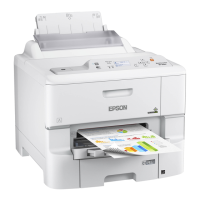
Using USB Flash Drives With Your Product
Follow the instructions here to work with a USB flash drive inserted into your product.
Inserting a USB Flash Drive
Removing a USB Flash Drive
Viewing and Printing From the LCD Screen
Transferring Files on a USB Flash Drive
Inserting a USB Flash Drive
Insert your USB flash drive into the USB port on the front of the product.
Note: Epson cannot guarantee the compatibility of your device. Make sure the files on the device are
compatible with the product.
USB Device File Specifications
Parent topic: Using USB Flash Drives With Your Product
Related tasks
Removing a USB Flash Drive
USB Device File Specifications
You can use USB devices with your product containing files that meet these specifications.
File format JPEG with the Exif version 2.3 standard
TIFF 6.0-compliant uncompressed images: RGB full-color or binary
(not CCITT-encoded)
PDF version 1.7 compliant
Image size 80 × 80 pixels to 10200 × 10200 pixels
File size Up to 2GB
Number of files JPEG: Up to 9990
TIFF: Up to 999
PDF: Up to 999
234



 To Next Page
 Loading...