Buttons Function
k
Displays the speed dial/group dial list in fax mode.*1
l
Displays the last number dialed. When entering numbers in fax mode, this inserts a
pause symbol (-) that acts as a brief pause during dialing.*1
m F Enters setup mode.
n
Displays Help for solutions to problems.
o x Displays detailed settings for each mode.
p y Cancels/returns to the previous menu.
q
x
Starts copying/scanning/faxing in black and white.*2
r
x
Starts copying/scanning/faxing in color.*2
*1 These buttons and their functions are only available for fax capable models.
*2 The fax functions are only available for fax capable models.
Lights
Lights Function
P
On when the product is on.
Flashes when the product is receiving data, printing/copying/scanning/faxing,
replacing an ink cartridge, charging ink, or cleaning the print head.
On when the fax is in Auto Answer mode.
Error On when an error has occurred.
See the Network Guide for more details. Wi-Fi is only available for Wi-Fi capable
models.
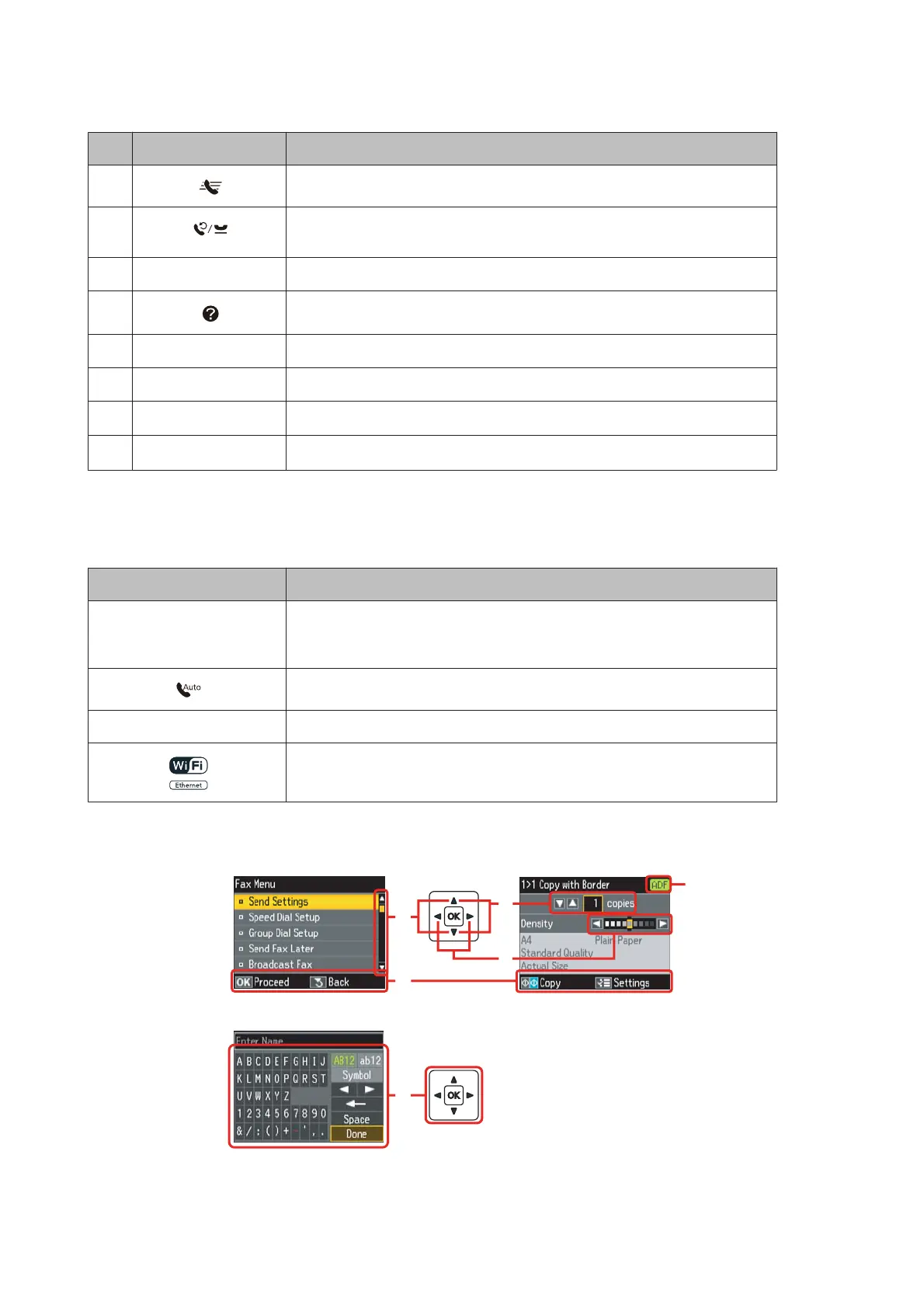
Using the LCD screen
a
b
c
d
f
e
WP-4511/4515/4521/4525/4530/4531/4535/4540/4545 User’s Guide
Getting to Know Your Product
19









 To Next Page