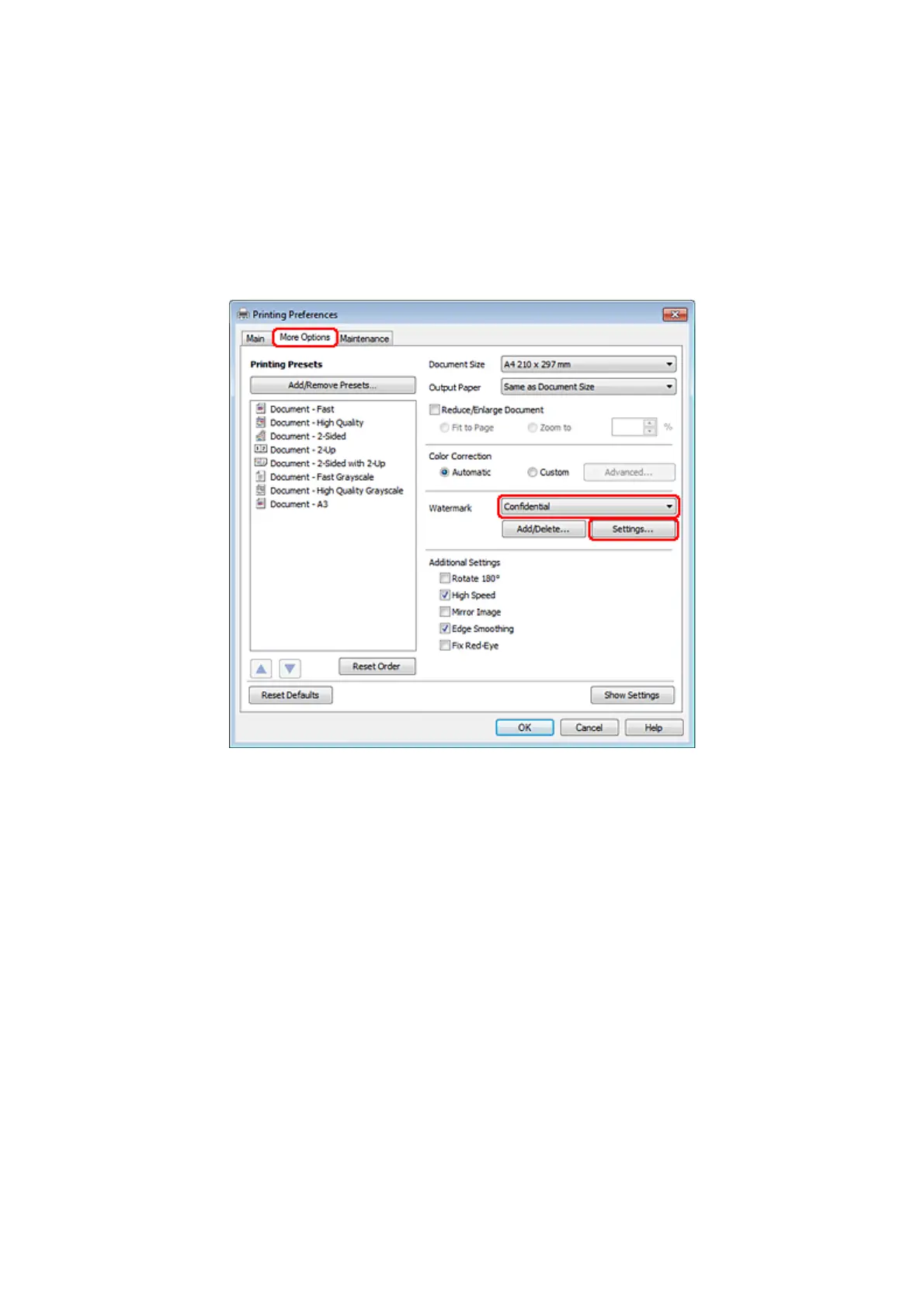
Printing the watermark
A
Make adjustments to basic settings.
& “Basic printer settings for Windows” on page 40
B
Click the More Options tab, choose the desired watermark from the Watermark list, then click Settings.
If you want to create your own watermark, see the online help.
WP-4511/4515/4521/4525/4530/4531/4535/4540/4545 User’s Guide
Printing
65









 To Next Page