C
Click Preview.
Note for the Automatic Document Feeder (ADF):
❏ The document page ejected by the ADF has not been scanned yet. Reload the entire document into the ADF.
❏ Do not load paper above the line just under the d arrow mark on the ADF.
D
Adjust the exposure, brightness, and other image quality settings.
See the Help for more details on Epson Scan.
E
Click Scan.
F
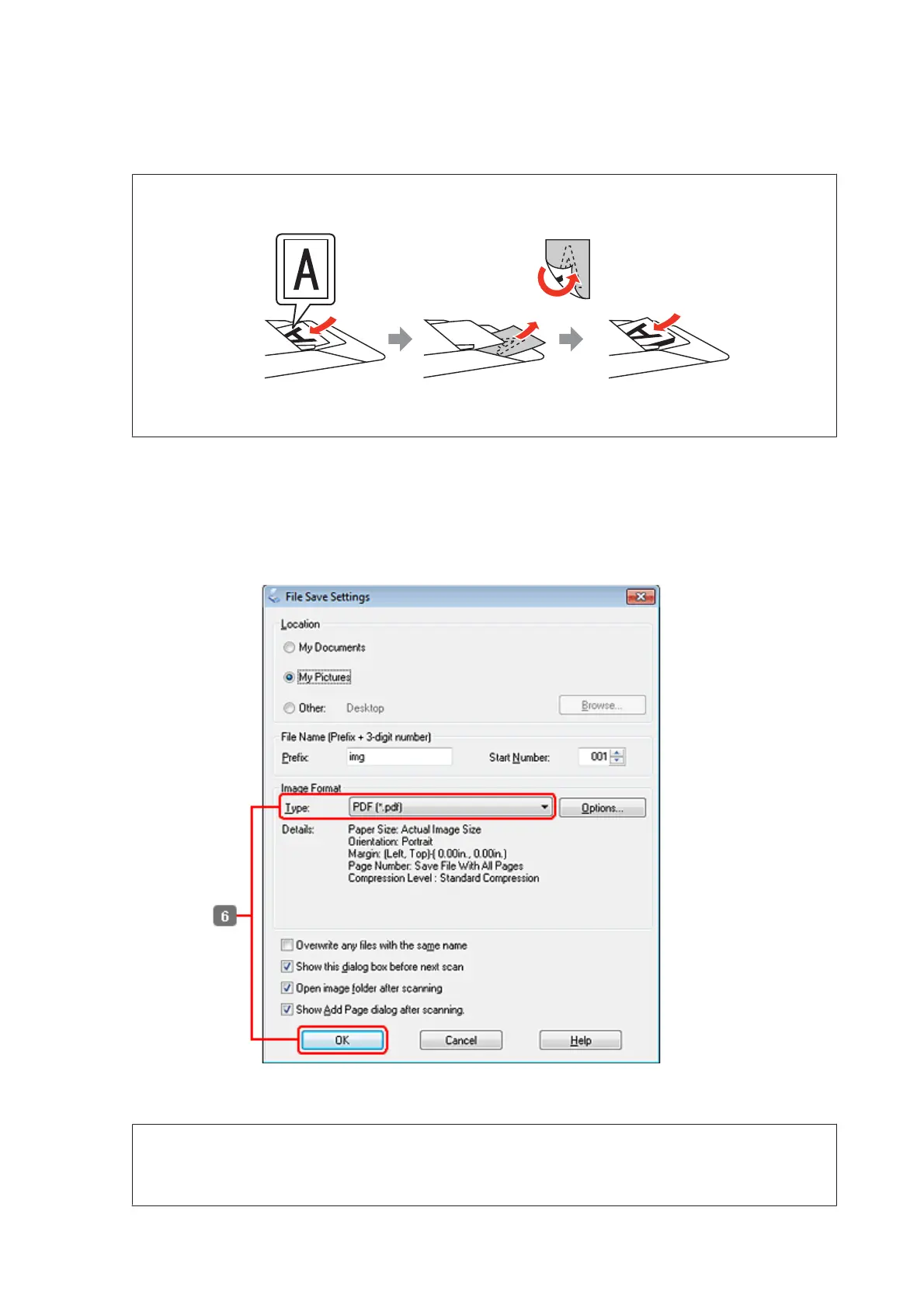
Select PDF as the Type setting, and then click OK.
Note:
If the Show Add Page dialog after scanning check box is cleared, Epson Scan automatically saves your document
without displaying the Add Page Confirmation window.
WP-4511/4515/4521/4525/4530/4531/4535/4540/4545 User’s Guide
Scanning
85









 To Next Page