PS6500 Rack Mount Instructions 15
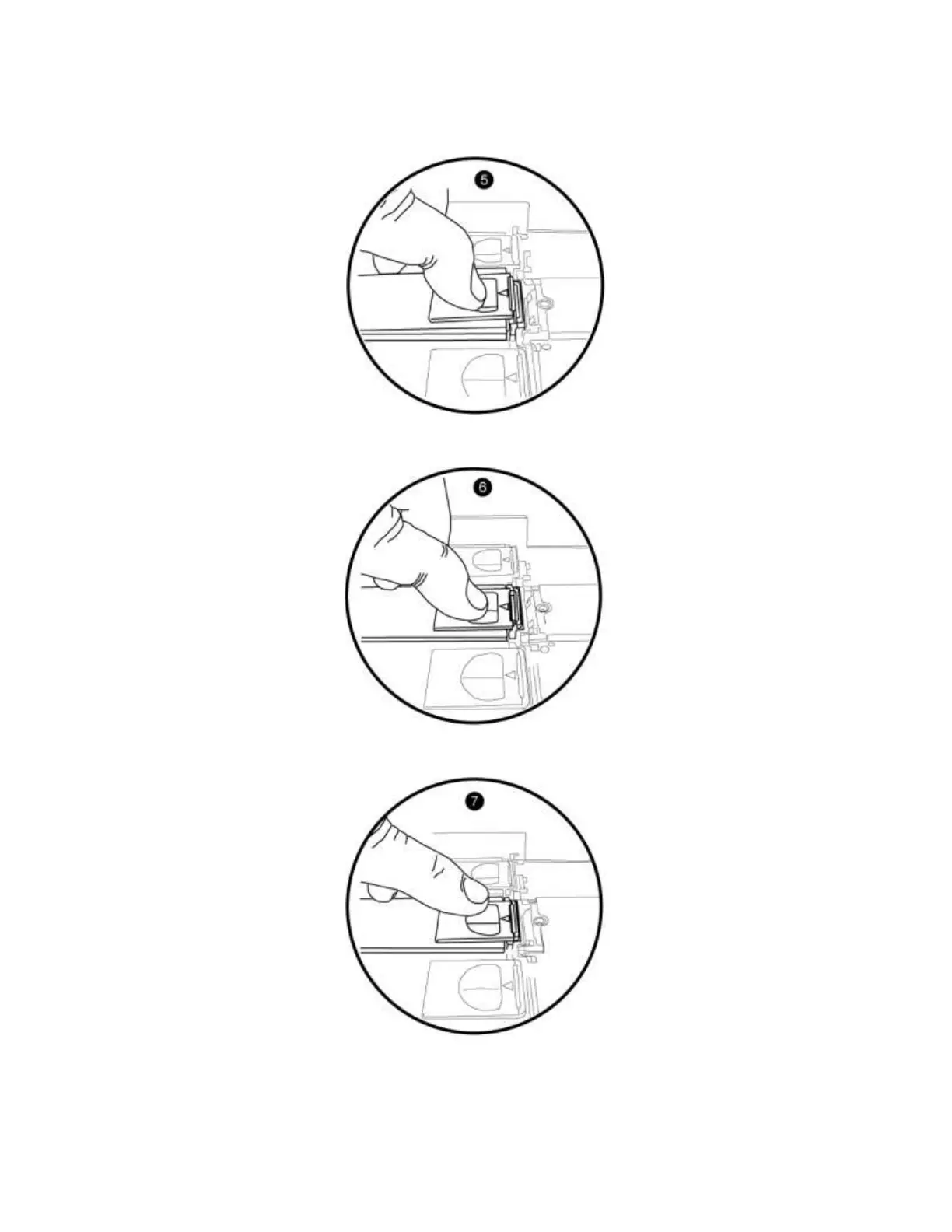
8. Holding the latch open, lower the lever until the drive is fully seated and flush with the other drives
(5). Keep holding the latch open.
9. Push the latch forward and make sure it engages with the slot in the drive carrier (6).
10. Let the latch slide forward and make sure it is firmly closed (7).
When correctly installed, the disk drive carrier should not protrude from the top of the chassis. If it does,
remove and then reseat the drive.


 To Next Page