PS6500 Rack Mount Instructions 5
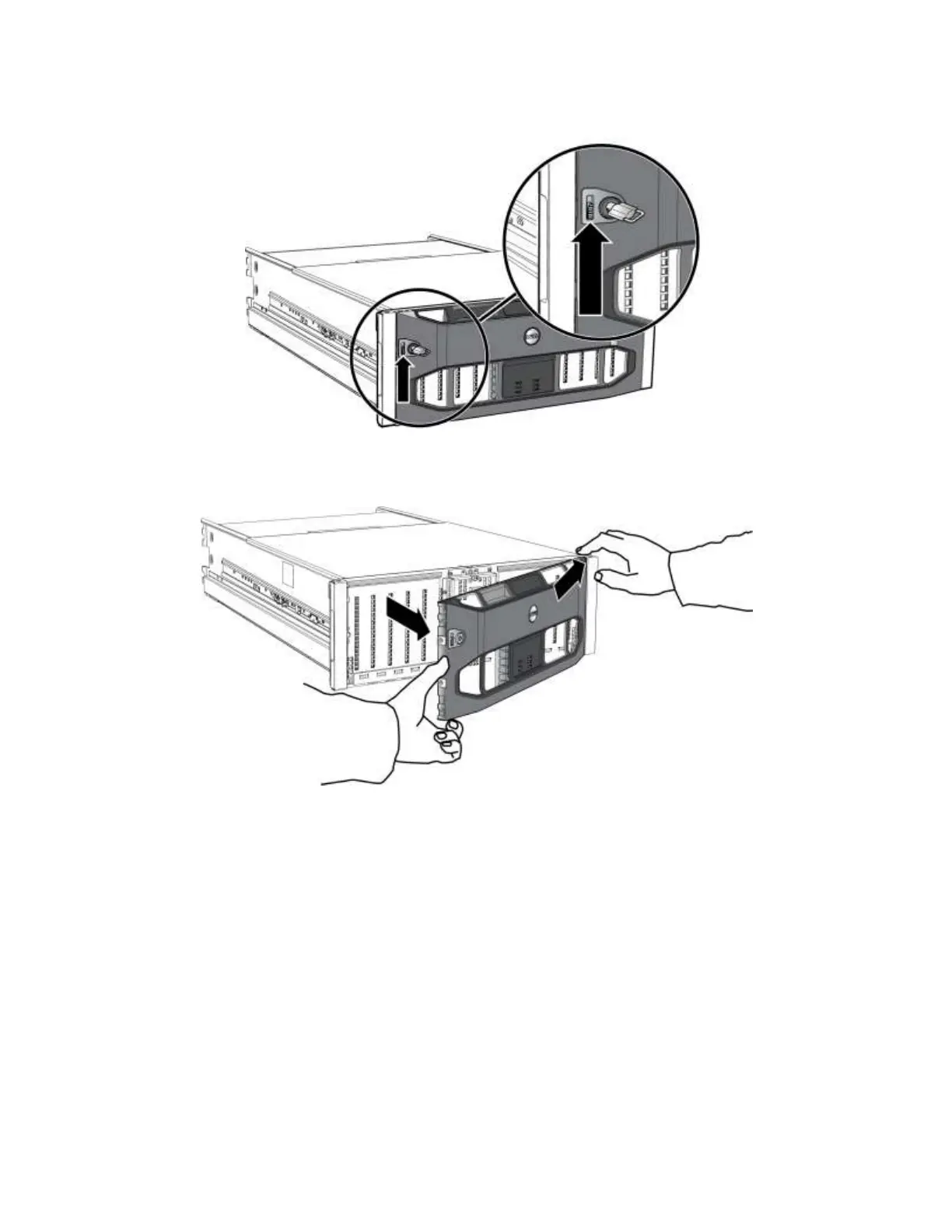
Figure 2 Releasing the Bezel Latch
4. Pull the bezel away from the chassis. See Figure 3.
Figure 3 Detaching the Bezel from the Chassis
Step 3: Remove the Power Supply and Cooling Modules
Remove the three power supply and cooling modules to make the array lighter and easier to install in the
rack.
1. Facing the rear of the chassis, squeeze together the module latches, release the handle, and rotate the
handle downwards. See Figure 4 (shows power supply module by itself for clarity).


 To Next Page