PS6500 Rack Mount Instructions 11
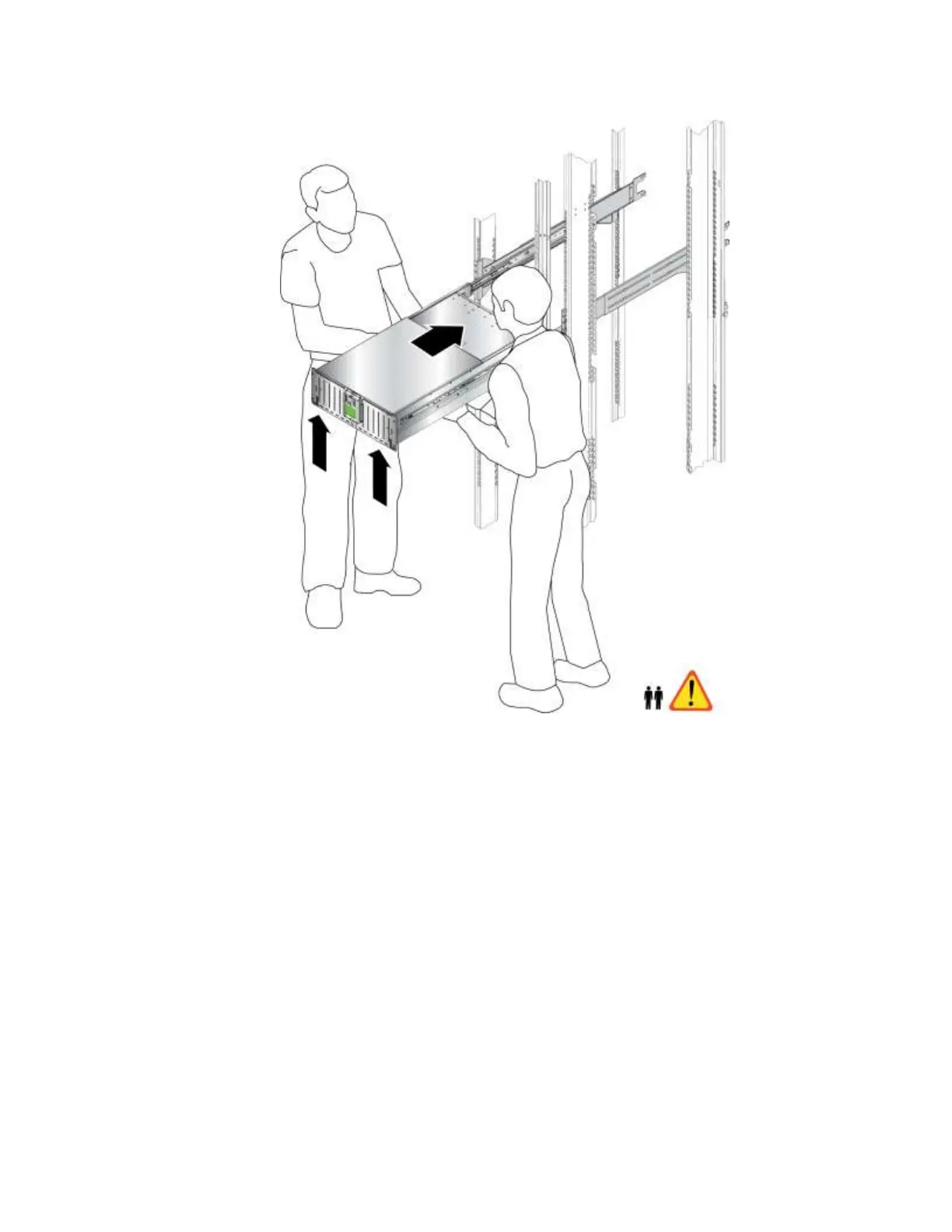
Figure 9 Sliding the Chassis into the Rack
3. Continue to slide the array chassis fully into the rack until you hear it snap into place.
Step 6: Attach the Chassis Cover to the Rail Flanges
Attaching the chassis cover to the front rail flanges enables you to pull out the array like a drawer,
providing access to the disk drive slots.
1. Unlock the chassis by using the flathead screwdriver to turn both cam screws (callout 2 in Figure 10)
on the front panel counter-clockwise.
2. Hold the handles on the right side and the left side of the chassis front panel and pull out the front
panel approximately 30 cm (12 inches) from the rack. This will expose the disk drive slots and
provide room for you to attach the cover to the front rail flanges.
3. Attach the chassis cover to the front left flange and the front right flange (callout 1 in Figure 10).


 To Next Page